Google Drive integration: build from your briefs and sheets
Build from the briefs, decks and sheets your team keeps in Drive.
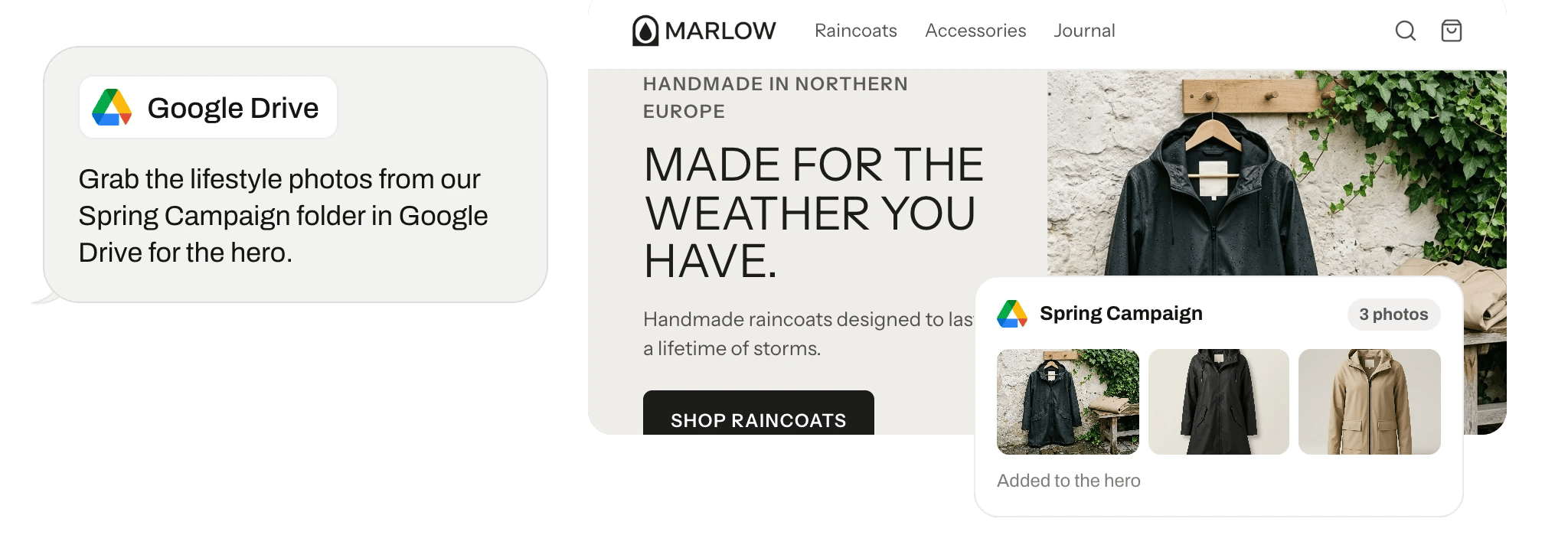
What Replo does with Google Drive
Replo reads briefs, docs, and spreadsheets from Google Drive and builds from them, down to a page per spreadsheet row.
Connect it
Open Integrations in your Replo workspace, choose Google Drive, and sign in to authorize it. Then pick which store or account Replo should use.
Replo asks before it changes anything in Google Drive. Set each action to always allow, ask each time, or never.
Automate your busywork
Describe a job once and Replo runs it every week on your real store data.





Frequently asked questions
- Does Replo work with Google Drive?
- Yes. Open Integrations in your Replo workspace, choose Google Drive, and connect it. From then on, Replo reads briefs, docs, and spreadsheets from Google Drive and builds from them, down to a page per spreadsheet row.
- What does Replo read from Google Drive?
- Replo reads the briefs, docs, and spreadsheets in your Google Drive. It reads them through the Google Drive account you connect, and you pick which store or account it uses. That data shapes what Replo builds on your site.
- Can Replo change anything in Google Drive?
- Yes, if you allow it. Replo can create folders and upload, update, move, or delete files in Google Drive. By default it asks before each change, and you can set each action to always allow, ask each time, or never.
- Can't ChatGPT or Claude do this with Google Drive?
- Partly. Google Drive has its own MCP server that lets Claude read it, but it can't build on what it reads. Replo reads Google Drive with your other apps, knows your brand and catalog, and turns what it finds into a hosted site with checkout that it measures. Compare the two ways to connect Google Drive, in Claude or ChatGPT.