Take payment on your own site
A checkout page for your Replo site: Replo sets up Stripe, builds checkout on your brand and sends every order email.
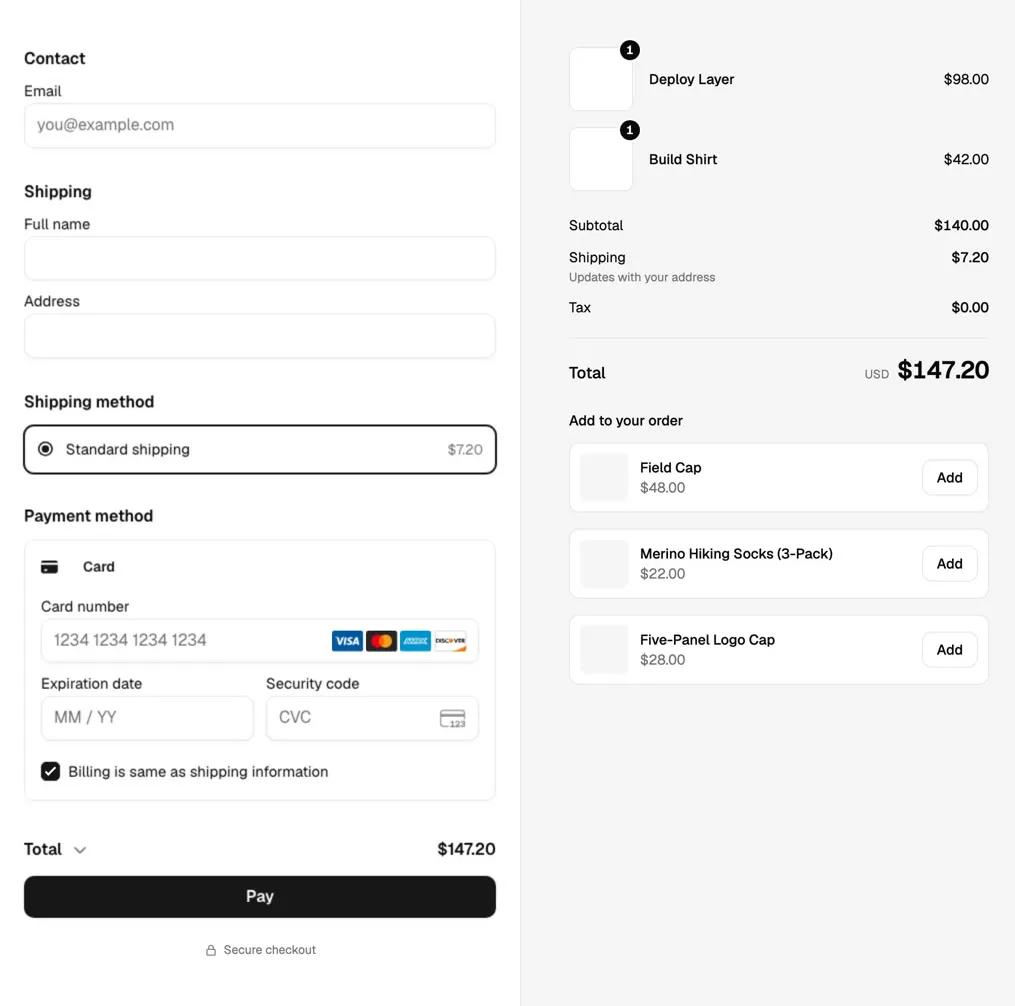
What is a checkout page?
A checkout page is the last step of a sale: the buyer reviews the order, enters contact, shipping and payment details, and pays. Replo checkout is that page on your own site, run on Stripe, so you can sell without a separate store platform.
Everything a buyer needs on one page
Contact, shipping and payment beside the order, styled with your site's colors, fonts and logo.
Shipping updates as the buyer types an address, and add-ons sit one tap away. 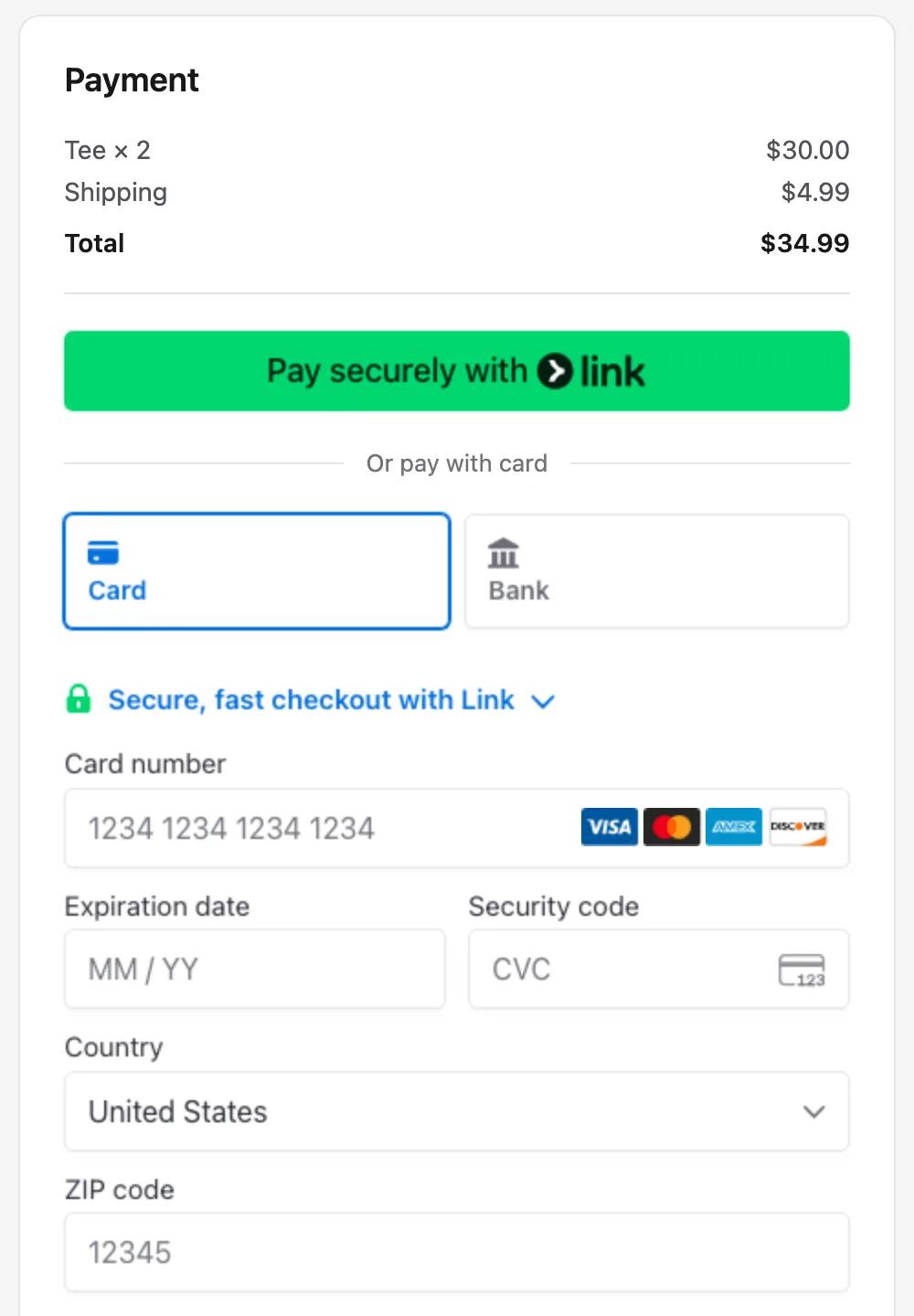
On carts that ship, wallet buttons sit above the card form. 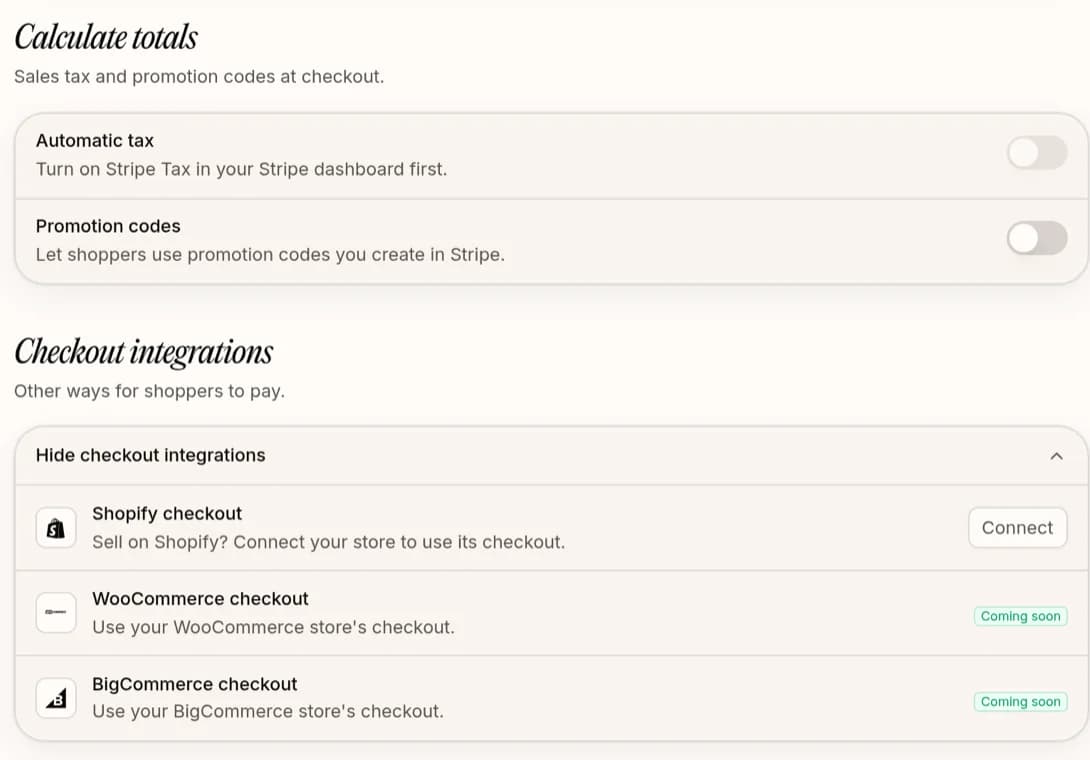
Sales tax and promotion codes are switches in Settings, beside Shopify checkout.
From first product to first sale
Replo does the setup. You answer Stripe's questions once, inside Replo.
Pick your country
Set up payments in Replo; Stripe checks your business and bank details.
Add your products
Give each one a price and photos, plus sizes and colors where they apply.
“add a hoodie at $58 in black and grey”
Ask for the pages
Replo builds the store and points every buy button at your checkout.
“build a product page for the hoodie”
Get paid
Buyers pay on your site, get an order page and email, and Stripe pays you out.
A checkout that handles the details
What a store needs at checkout, set once in Settings and kept on every page.
Cards and wallets
Buyers pay by card, Apple Pay, Google Pay or Link in Stripe's form.
Sizes and colors
Each line in the order summary shows the size and color picked.
Print-on-demand merch
Sell printed tees and mugs, with shipping priced from the buyer's address.
Shipping rates
Choose shipping countries, a flat rate and a free-shipping threshold.
Sales tax and codes
Stripe Tax adds sales tax, and buyers can enter your Stripe promotion codes.
Order page and emails
Confirmation, shipping and refund emails go out in your brand from the first sale.
Pick the checkout that fits what you sell
Every Replo site can use one of three. Switch later without rebuilding the site.
Replo checkout
Shopify checkout
A payment link
Best for
Replo checkout: Digital products, merch and small catalogs
Shopify checkout: A full catalog already on Shopify
A payment link: Subscriptions, or sales in one provider
Where buyers pay
Replo checkout: A checkout page on your own site
Shopify checkout: Shopify Checkout, with Shop Pay
A payment link: Stripe's, PayPal's or Square's page
Subscriptions
Replo checkout: No
Shopify checkout: Yes, with a subscription app
A payment link: Yes, with a recurring price
What it costs
Replo checkout: Stripe's fee; Replo takes no cut
Shopify checkout: Your Shopify plan and payment fees
A payment link: The provider's fee
What it does, and what it doesn’t
Replo checkout does
- Card, Apple Pay, Google Pay and Link
- Digital and physical products
- Sizes, colors and stock counts
- Shipping rates and sales tax
- Sellers in 43 countries
- An order page and order emails
Use another checkout for
Subscriptions: a Stripe payment link or Shopify
Discounts beyond Stripe promotion codes, like buy one get one: Shopify
Sellers in Brazil, India or Moldova, which Replo can't take payments for yet
Checkout guides and free tools
Before you get started
A checkout page is the last step of a sale: the buyer reviews the order, enters contact, shipping and payment details, and pays. Replo checkout is that page on your own site, run on Stripe, so you can sell without a separate store platform.
Yes. Replo checkout is a checkout page on your own site, run on Stripe. Replo sets up your Stripe account inside Replo, builds the page in your brand's colors and fonts, and sends the order emails. A Shopify store can keep Shopify checkout instead.
Stripe's standard fee, 2.9% + 30¢ per successful US card charge, plus your Replo plan. Replo takes no cut of your sales. On print-on-demand merch, the printing cost comes out of the sale to pay the printer. The Stripe fee calculator shows what you keep.
Businesses in 43 countries, including the US, Canada, the UK, Australia, Japan, Mexico and most of Europe. You pick your country first, and Stripe pays out to your bank in its currency. Brazil, India and Moldova aren't supported yet.
Yes. A product can have options like size and color, each with its own price and stock count, and checkout asks for a shipping address on physical items. Each line in the order summary shows the size and color the buyer picked.
By card, or with Apple Pay, Google Pay or Link where their device supports it, in Stripe's payment form. On carts that ship, the wallet buttons sit above the card form. Stripe handles card security and fraud checks.
No. Replo checkout takes one-time payments. For a subscription, make a recurring Stripe payment link and Replo points the page's buttons at it, or connect Shopify with a subscription app.
ChatGPT can write a checkout page but can't take the money, and Stripe's hosted page sends buyers off your site. Replo builds the store, puts checkout on your own site in your brand, and sends the order emails. You can run Replo from ChatGPT or Claude too.
Keep reading
Builders
Sell digital products
Sell ebooks, templates and courses from your own site, with no platform cut.
Builders
Payment links on every app
Make a payment link on any app, then put it behind a page that sells.
Start a business
Start a clothing brand
One product, the right production model, preorders, then a store your ads can point at.