Sell it before it ships
A pre-order takes payment for a product you don't have in stock yet. Here's how to run one without refund trouble.
- Pre-order
- Paid now, shipped when stock arrives
- US shipping rule
- Ship by your stated date, or within 30 days
- Ways to charge
- In full, a deposit, or at shipping
What a pre-order is
A pre-order is an order for a product that isn't released or in stock yet. The buyer commits now, and you ship when the stock arrives. Stores use pre-orders to pay for a production run, size the order from real demand, and give their best customers first pick.
The same setup works for a restock of a sold-out bestseller, a limited drop or a new color. What changes is what you promise: a ship date, and what happens if you miss it.
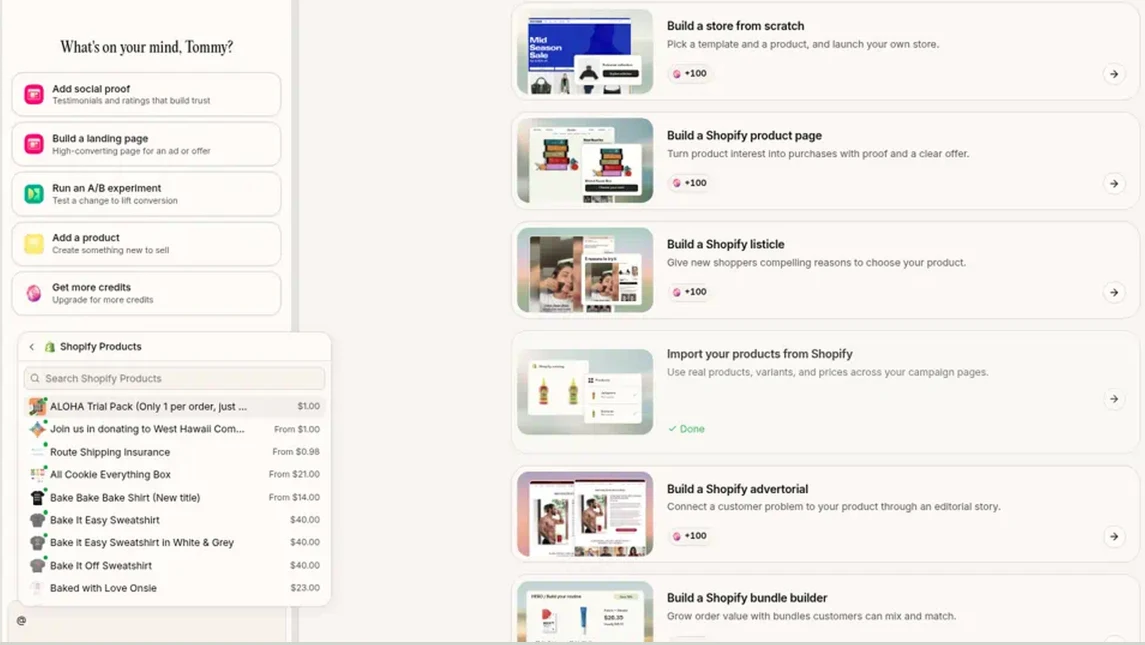
Connected to Shopify? Type @ in Replo's chat to pull the product you're pre-selling, and its price, into the prompt.
Pre-order, backorder, waitlist or crowdfunding
Four ways to sell before you have stock. They differ in what the buyer pays and when.
| The buyer gets | You charge | Best for | |
|---|---|---|---|
| Pre-order | A product that isn't released yet | At order, a deposit, or at shipping | Launches and limited runs |
| Backorder | A released product that's out of stock | Usually at order | Restocking a bestseller |
| Waitlist | A heads-up when it goes on sale | Nothing yet | Testing demand before you make stock |
| Crowdfunding | A reward if the campaign hits its goal | When the campaign closes, if it's funded | A first product with no money for stock |
Three ways to charge for a pre-order
Charging up front pays for production; charging later is easier to say yes to.
| How it works | Watch for | |
|---|---|---|
| In full now | The buyer pays at checkout, like any order | Your shipping clock starts when you take the payment |
| A deposit now | Part now, the rest charged before it ships | Needs a pre-order app that stores the card |
| At shipping | The card is saved and charged when it ships | More cancellations, and some saved cards decline |
Ship by the date you promise
In the US, the FTC's Mail, Internet, or Telephone Order Merchandise Rule covers pre-orders like any online order. If you will miss your date, ask the buyer to accept the delay or cancel for a full refund.
If you make no shipment statement, you must have a reasonable basis for believing that you can ship within 30 days.
What every pre-order needs
- The ship date next to the button
- When the card is charged
- A reason to order now
- An email when it ships or slips
- A refund on any delay
How to run a pre-order
- Open a waitlist page with a launch date and one email field.
- Give the list a reason to join: first access, a launch price or first pick.
- Open pre-orders to the list first, with the ship date by the button.
- Pick how to charge: in full, a deposit, or at shipping.
- Email every buyer when production starts, when it ships, and before any delay.
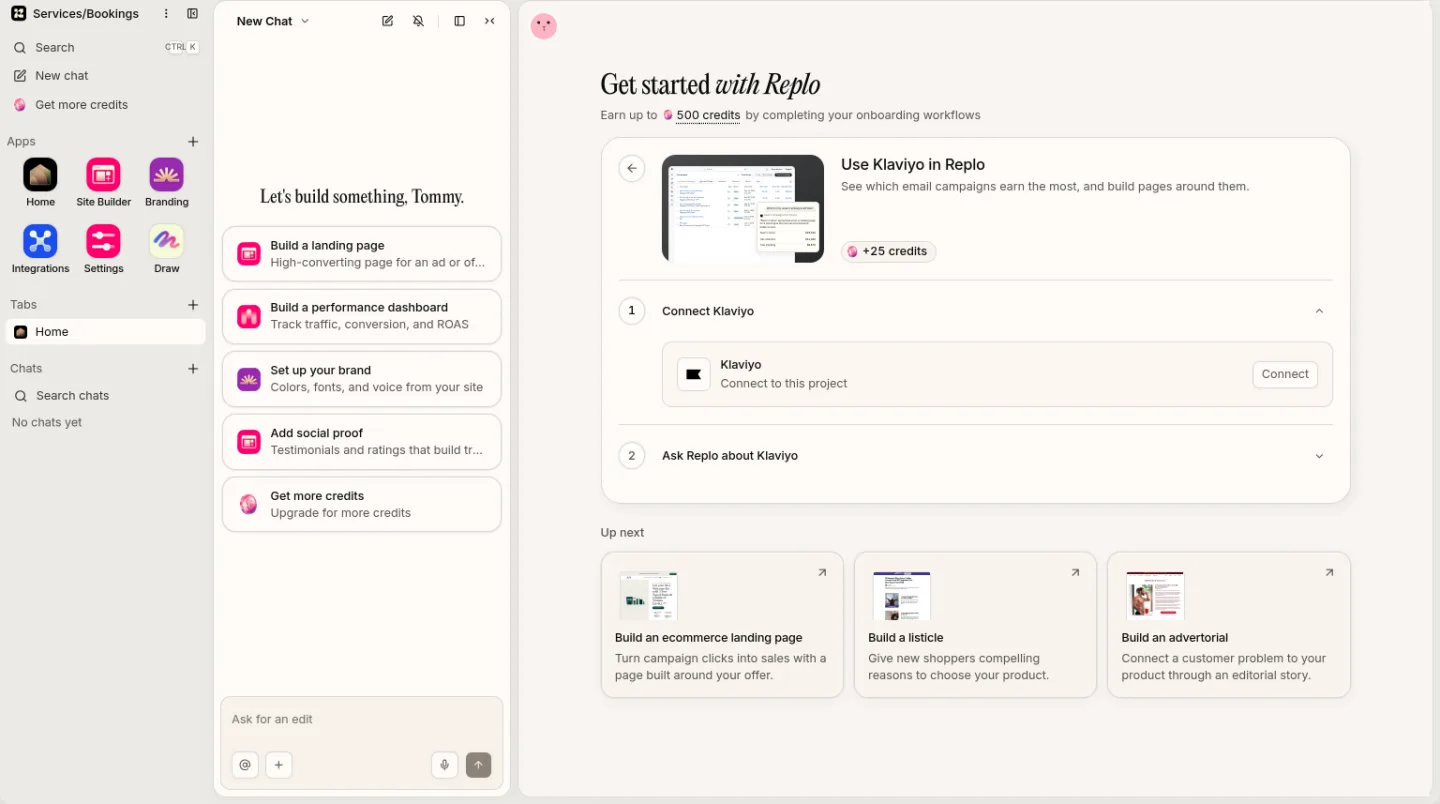
Connect Klaviyo in Replo so sign-ups from your waitlist page land on your list.
Taking pre-orders on a Replo site
Replo builds the waitlist and pre-order pages. Who takes the money depends on your checkout.
| What it does | Limits | |
|---|---|---|
| Waitlist page | Replo builds it; sign-ups go to Klaviyo or Mailchimp | Your email tool sends the emails |
| Shopify checkout | Your pre-order app's options show on Replo pages | Deposits and charging later come from the app |
| Replo checkout | Takes the full price at checkout, in USD | No deposits, no charging later, no variants |
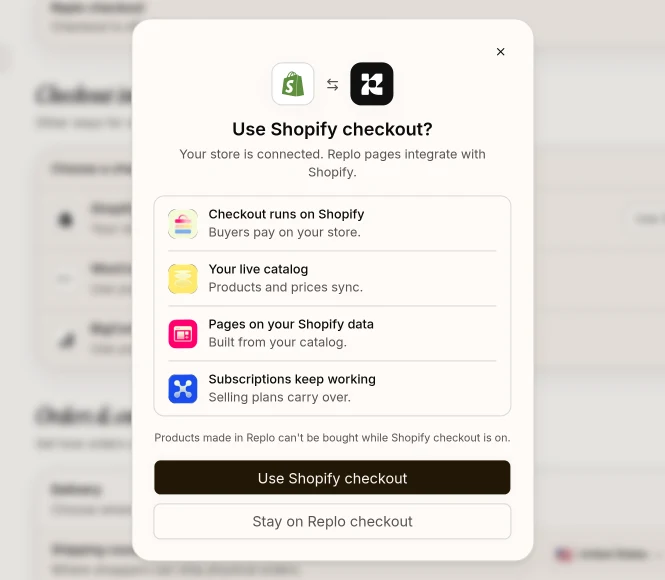
With Shopify checkout, buyers pay on your store and selling plans, such as your pre-order app's, carry over.
Frequently asked questions
- What does pre-order mean?
- A pre-order is an order for something that isn't out or in stock yet. You reserve it now, and the seller ships it when it's released or restocked. Some sellers charge at order, others take a deposit or charge when it ships.
- Does a pre-order charge you right away?
- It depends on the store. Many charge the full price at checkout, some take a deposit and charge the rest before shipping, and some save the card and charge when the order ships. The product page or checkout should say which.
- What's the difference between a pre-order and a backorder?
- A pre-order is for a product that hasn't been released. A backorder is for a product that's already on sale but out of stock. Both take orders for stock you don't have yet, so both need a clear ship date.
- How long can a pre-order take to ship?
- As long as you say, if you have a reasonable basis for the date. In the US, with no date stated you must be able to ship within 30 days. If you'll miss the date, ask buyers to accept the delay or cancel for a full refund.
- Can I take pre-orders on Replo?
- Yes, with limits. With Shopify connected, your pre-order app's purchase options work on Replo pages and orders check out on Shopify. Replo checkout takes the full price up front for simple products. Deposits need a Shopify pre-order app.
- Can't ChatGPT or Claude build me a pre-order page?
- They can write the page, but they can't take the order. Replo knows your brand and catalog, puts Shopify or Replo checkout behind the button, hosts the page on your domain and measures how it converts. You can also run Replo from inside ChatGPT or Claude.
Open pre-orders on your site
Fill in the brackets and send it. Replo builds the waitlist, then the pre-order page.
Your first message
Build a coming soon page for [product] with a countdown to [launch date], product photos and one email field that adds sign-ups to my Klaviyo list. Offer [first access or a launch price] for joining. Then build the pre-order page: show the ship date, [ship date], next to the button, say buyers are charged [now or at shipping], and add an FAQ on delays and refunds.
See what works, then improve it
Every site you publish comes with analytics, heatmaps, A/B testing and reports.
Live
Analytics on every page
See visits, traffic sources and sales for every page you publish.
Live
Reports on a schedule
Get your site's traffic and sales emailed to your team daily or weekly.
Keep reading
Start a business
Start a clothing brand
One product, the right production model, preorders, then a store your ads can point at.
Start a business
Start an online business
Pick one offer for one buyer, check the name, and open a small store.
Selling guides
Sell clothes online
Where to resell your closet, and how to launch your own clothing label.
Selling guides
Sell art online
Where to sell originals and prints, and how to ship them safely.
Glossary
What is dropshipping?
Dropshipping is a way to run a store without holding inventory: you sell the product, and a supplier ships it straight to the customer.
Glossary
What is DTC (direct to consumer)?
DTC (direct to consumer) is a brand selling straight to shoppers through its own site instead of through retailers or wholesalers.