Fill your launch before it opens
Pre-order, coming soon and waitlist pages that brands pay to send ad traffic to, and how to build your own.
Four launch pages brands send ads to
Ordered by the active Meta ads linked to each page. Open one to see it live.
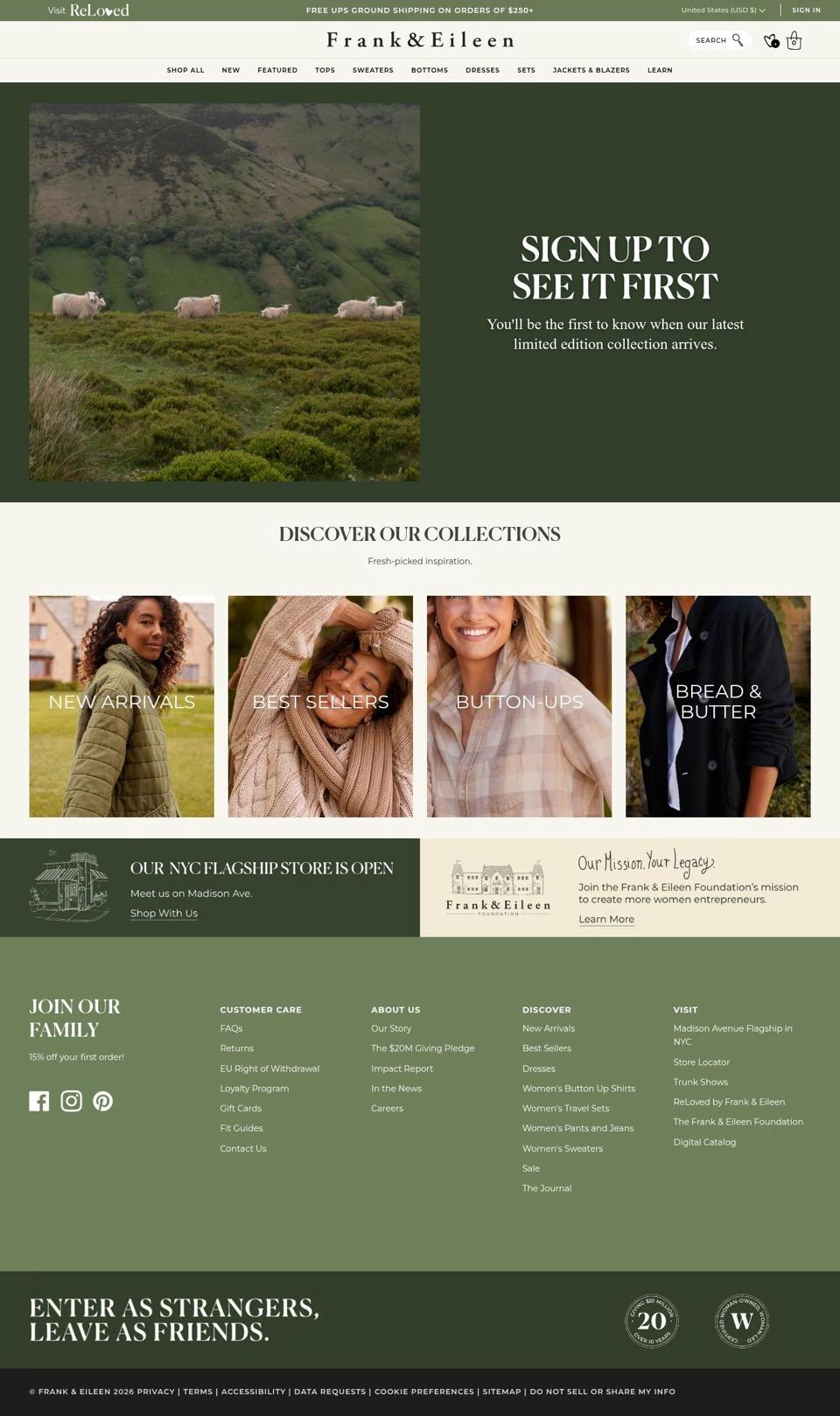
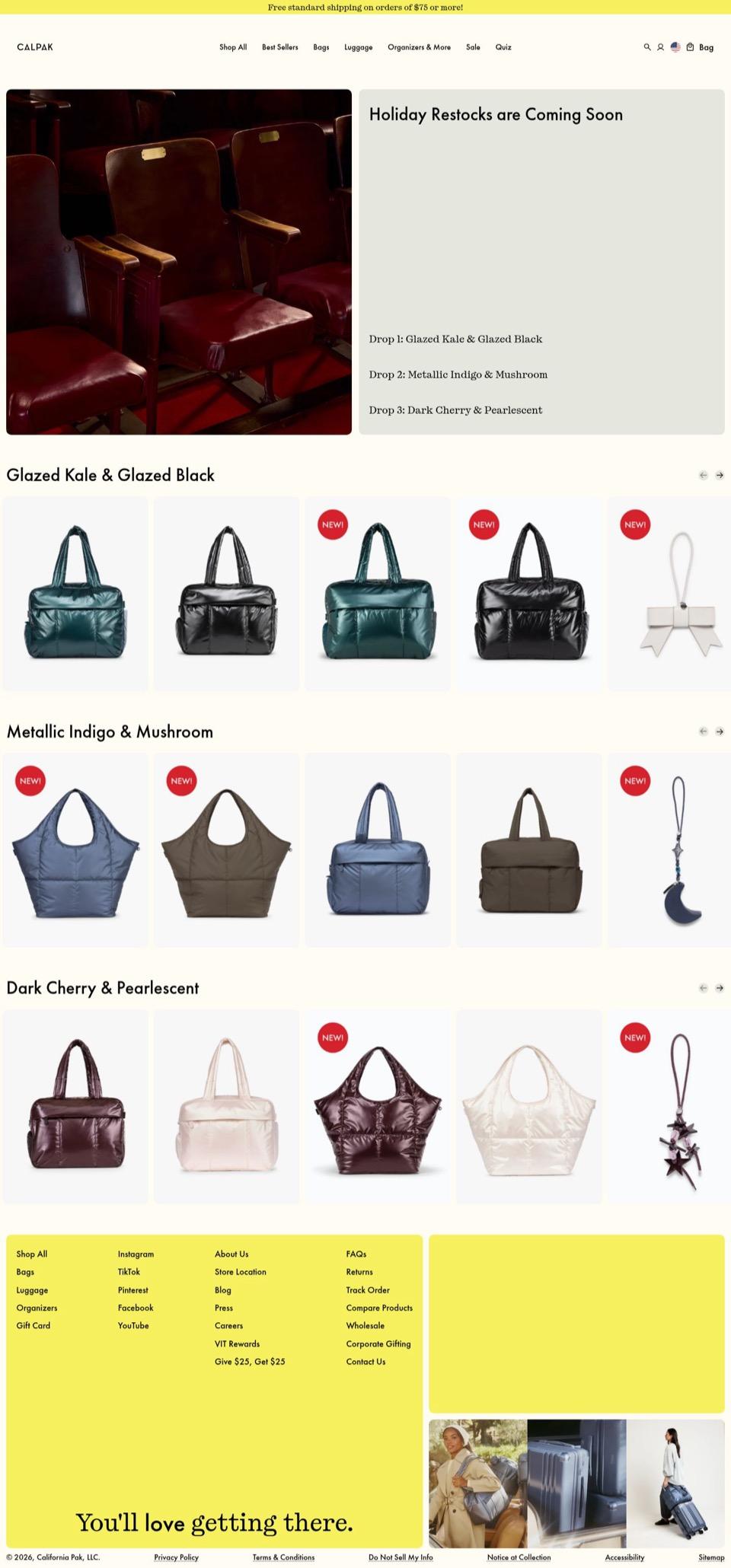
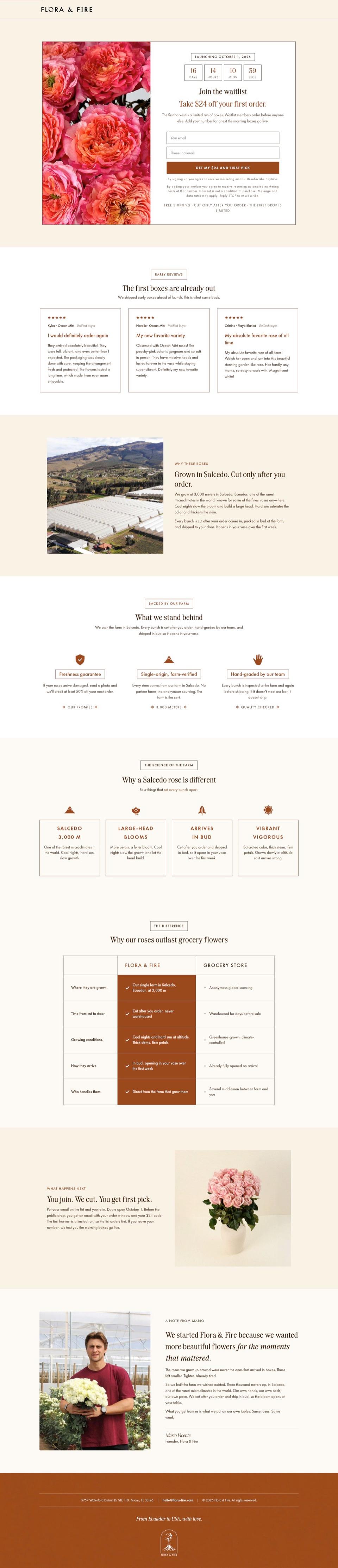
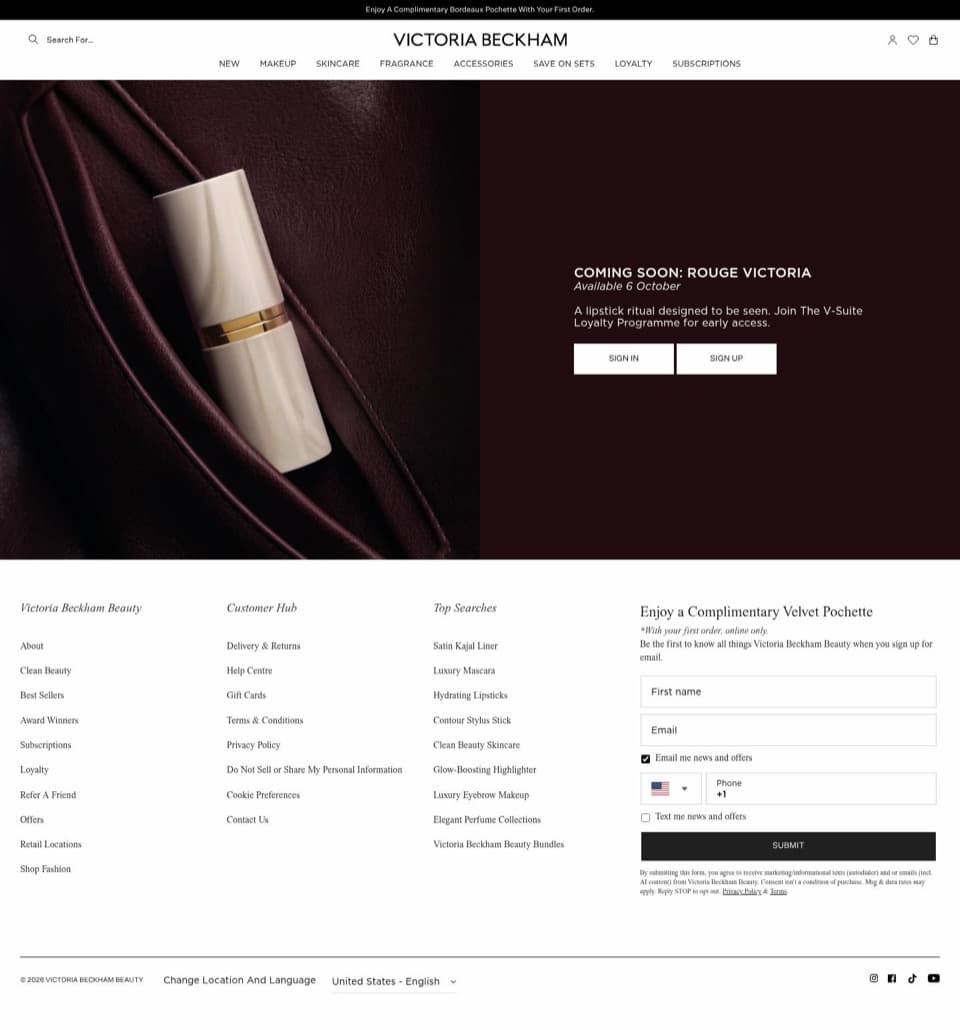
- Examples
- Four launch pages linked from Meta ads
- Page types
- Coming soon, waitlist and restock
- Checkout
- Shopify or Replo checkout behind the button
What a pre-order page needs
- A launch or ship date
- One reason to join now
- One email field, phone optional
- Photos of the real product
- What happens after they join
- When the card is charged
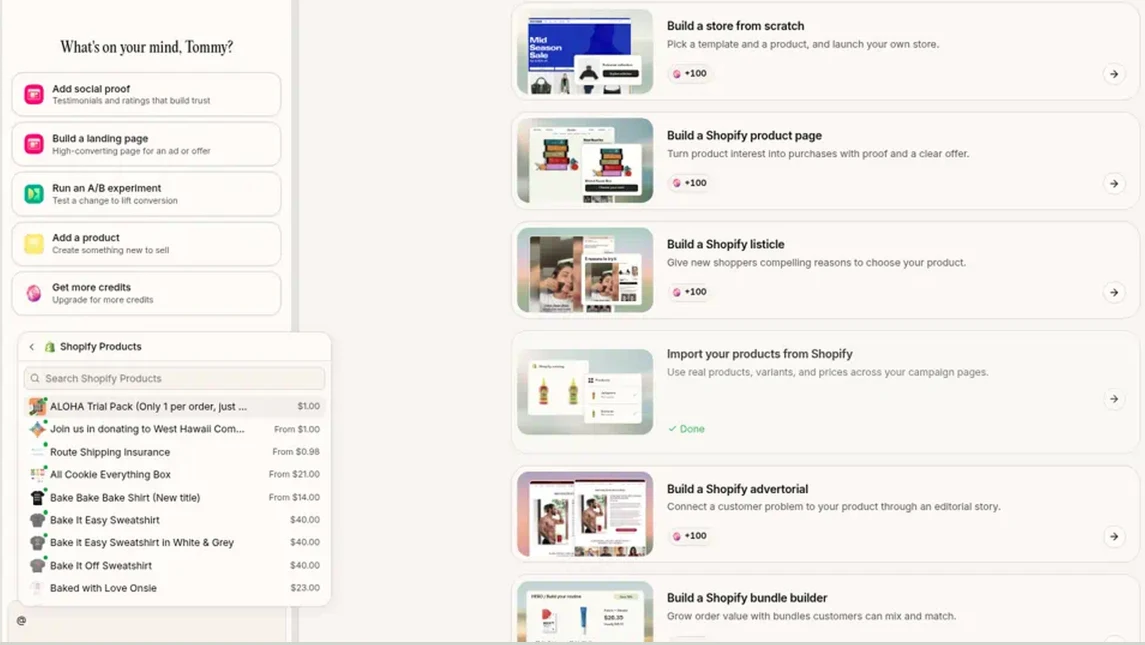
Connected to Shopify? Type @ in Replo's chat to pull the product you're pre-selling, and its price, into the prompt.
Coming soon, waitlist or pre-order
Each asks for more than the last. Move people along as the launch gets closer.
| Asks for | Use it when | |
|---|---|---|
| Coming soon page | An email | The product isn't ready to sell |
| Waitlist page | An email, for first access | Stock is limited and you want a list ready |
| Restock page | An email alert | A bestseller sold out |
| Pre-order page | Payment | You know the price and the ship date |
Build a pre-order page with Replo
- Describe the product, the launch date and what joining gets people.
- Replo builds the page on your brand and adds the sign-up form.
- Connect Klaviyo or Mailchimp so sign-ups land on your list.
- When pre-orders open, Replo swaps the form for a buy button with the ship date.
- Publish on your own domain and point your ads at it.
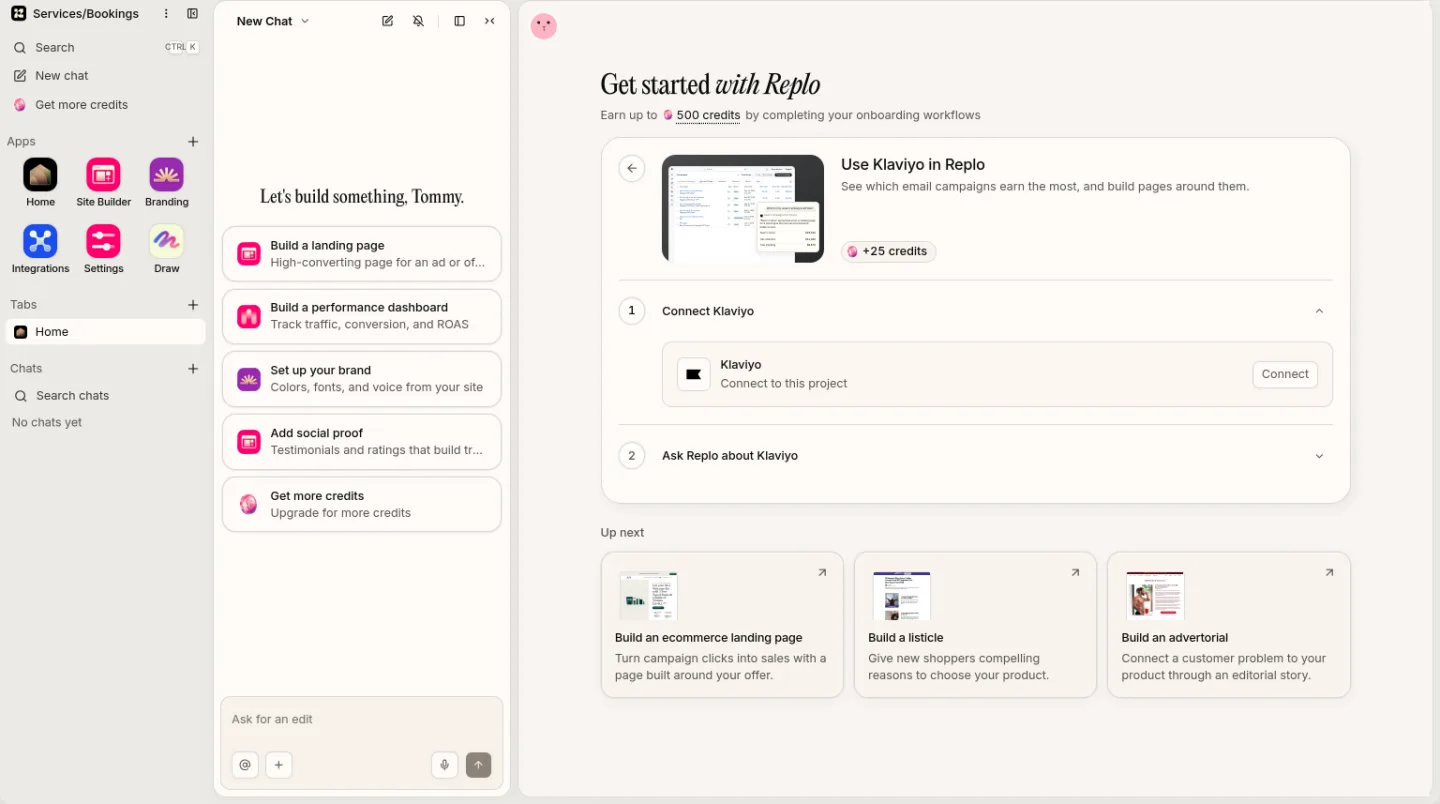
Connect Klaviyo in Replo so sign-ups from your waitlist page land on your list.
Frequently asked questions
- What is a coming soon page?
- A coming soon page announces a product before it's on sale and collects emails from people who want it. The best ones give a date, a reason to join now, such as first access or a launch price, and one email field.
- What should a pre-order page include?
- The product, its price, the expected ship date by the button, when the buyer is charged, and what happens if the date slips. Add photos of real samples and any early reviews, as Flora & Fire does with its first boxes.
- Can I build a waitlist page without Shopify?
- Yes. Replo builds the page and publishes it on your own domain, and the form adds sign-ups to a Klaviyo or Mailchimp list. When you start selling, Replo checkout can take the full price for simple products.
- Does Replo send the launch emails?
- No. Replo builds the page and the sign-up form, and your email tool, such as Klaviyo, sends the emails. Replo can draft the launch campaign in Klaviyo for you to review and send.
- Can't I just do this in ChatGPT or Claude?
- They can draft a site. Replo also knows your brand and catalog, puts your cart and checkout behind every button, hosts the site on your domain, and measures how it converts. And if you like working in Claude or ChatGPT, you can use Replo from inside both.
- Is it free to try?
- Yes. The Free plan includes a replosites.com address, so you can build and publish your pre-order page before you pay. Paid plans add your own custom domain. Pricing compares every plan.
Build your launch page
Fill in the brackets and send it. Replo builds the page and connects your email list.
Your first message
Build a coming soon page for [product], launching [date]. Put a countdown, product photos and one email field above the fold, and offer [first access or a launch price] for joining. Send sign-ups to my [Klaviyo or Mailchimp] list. When it launches, swap the form for a pre-order button that says it ships [ship date].
See what works, then improve it
Every site you publish comes with analytics, heatmaps, A/B testing and reports.
Live
Analytics on every page
See visits, traffic sources and sales for every page you publish.
Live
Reports on a schedule
Get your site's traffic and sales emailed to your team daily or weekly.
Keep reading
Builders
What a checkout page needs
The checkout page checklist, and three ways to take payment on your site.
Selling guides
Sell clothes online
Where to resell your closet, and how to launch your own clothing label.
Selling guides
Sell art online
Where to sell originals and prints, and how to ship them safely.
Funnels
Offer page funnel examples
Four DTC offer and bundle funnels, from the Meta ad to the deal.
Glossary
What is a landing page?
A landing page is a page built for one campaign or audience, with one goal, usually where ad or email traffic lands.
Glossary
What is a PDP (product detail page)?
A PDP (product detail page) is the page for one product, with its photos, price, variants, details and add-to-cart button.