Email marketing
Browse abandonment email examples from real stores
A browse abandonment email goes to a shopper who viewed a product but didn't add it to the cart; here are 8 real ones.
- average conversion rate of a browse abandonment email, against 0.10% for an average campaign
- 0.96%
average conversion rate of a browse abandonment email, against 0.10% for an average campaign
Klaviyo - real browse abandonment emails from 8 stores, each linked to its archive copy
- 8
real browse abandonment emails from 8 stores, each linked to its archive copy
Our count of the emails below - make an offer: money off, a gift or a bundle
- 1 of 8
make an offer: money off, a gift or a bundle
Our count of the emails below - were sent with Klaviyo, per the archive
- 4 of 8
were sent with Klaviyo, per the archive
Our count of the emails below
How a browse abandonment flow builds
Timing from Klaviyo. Every example below sits under the step it fits.
Show what they viewed
Within hours of the visit
The product, its price and one button back to it.
Widen the choice
A day or two later
Similar products, and the shipping and returns answers.
Nudge, or don't sell
Last in the series
A deal on the product, or just the brand's story.
Email 1: the product they looked at
Short and early. One product, often with an offer of help.
01 · Show what they viewed
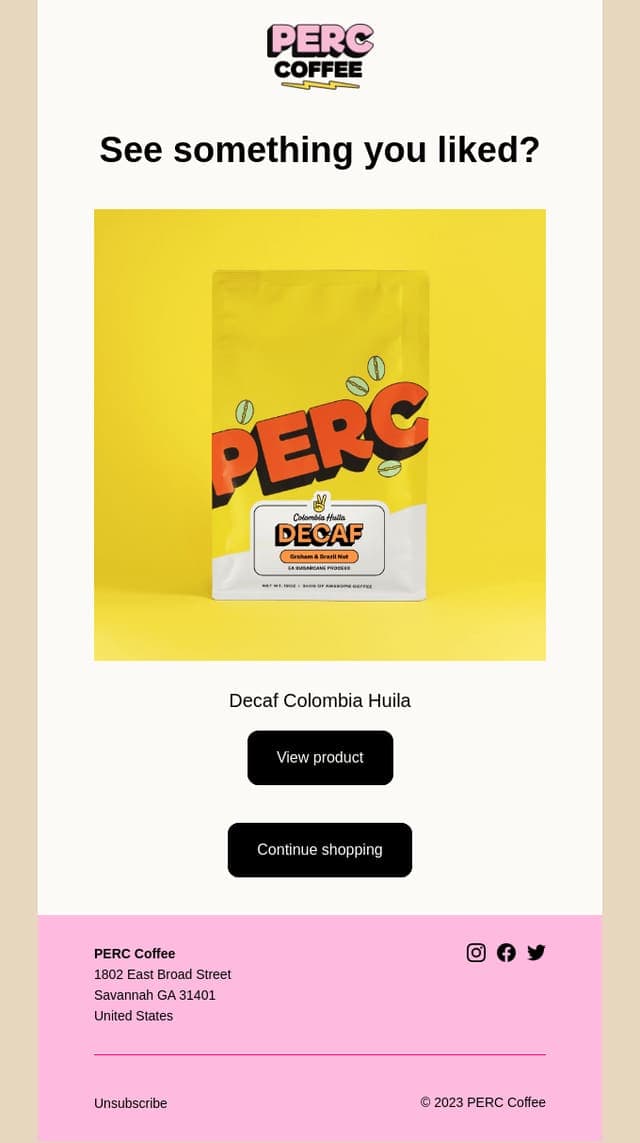
1. Perc Coffee
Sells coffee
Subject line
“Did something catch your eye?”
Offer
None
Layout
See something you liked? The bag, View product, then Continue shopping.
Sent with
Shopify Messaging
Archived
Really Good Emails, 2023
Why it works: The shortest email here: one product and two buttons. Built with Shopify's own email tool, so a new store can send it too.
See the full email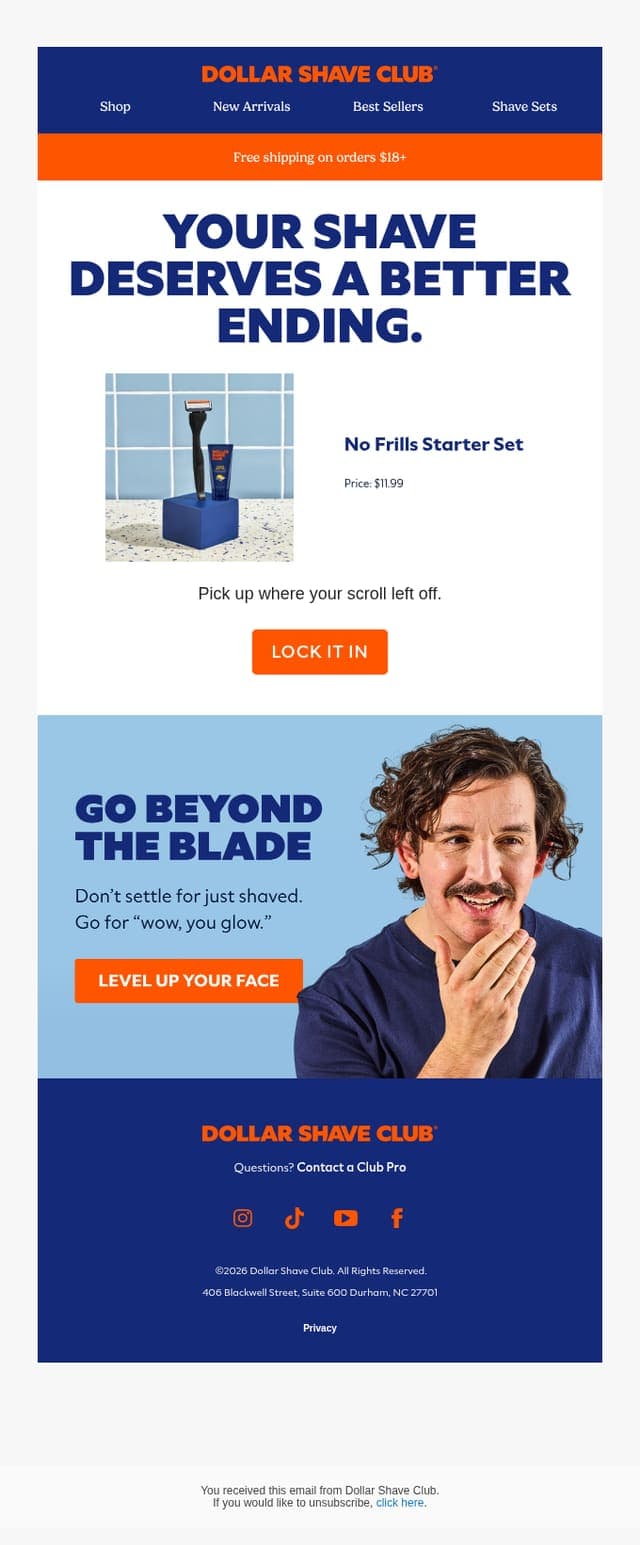
01 · Show what they viewed
2. Dollar Shave Club
Sells razors and grooming
Subject line
“Half-browsed, half-shaved… tragic.”
Offer
None; free shipping over $18
Layout
Your shave deserves a better ending, the starter set at $11.99, then Lock it in.
Sent with
Klaviyo
Archived
Really Good Emails, 2026
Why it works: The joke is in the subject; the email is the product, its price and one button. “Pick up where your scroll left off.”
See the full email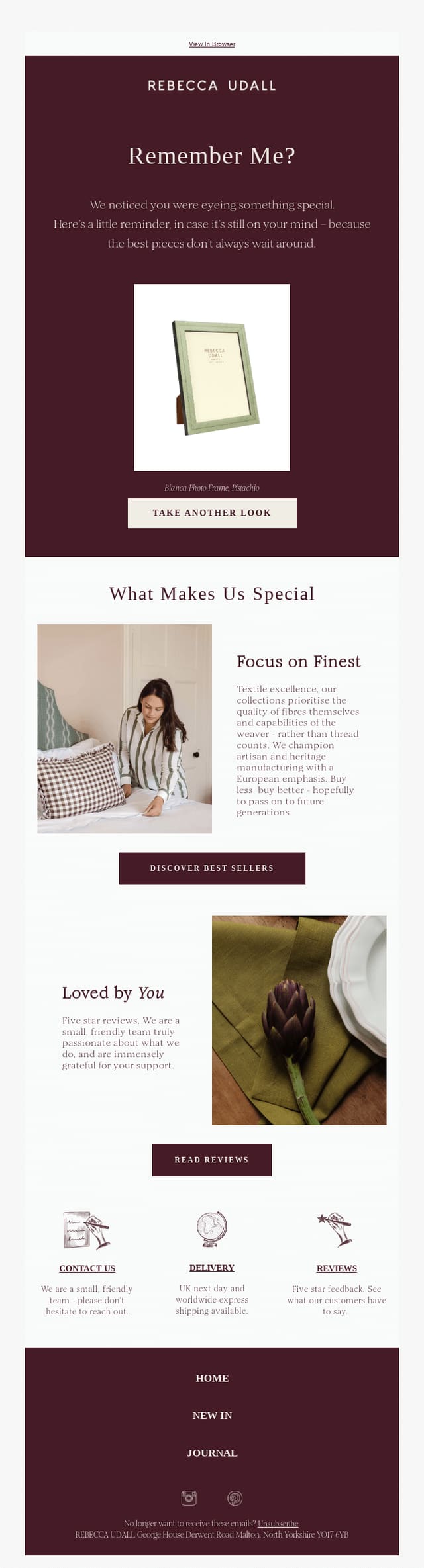
01 · Show what they viewed
3. Rebecca Udall
Sells home textiles and gifts
Subject line
“You checked this out, how can we help?”
Offer
None
Layout
Remember me? The photo frame with Take another look, then what makes the brand special.
Sent with
Klaviyo
Archived
Really Good Emails, 2026
Why it works: The subject offers help instead of pressure, and the product sits alone on a plain background, the way it looked on the site.
See the full email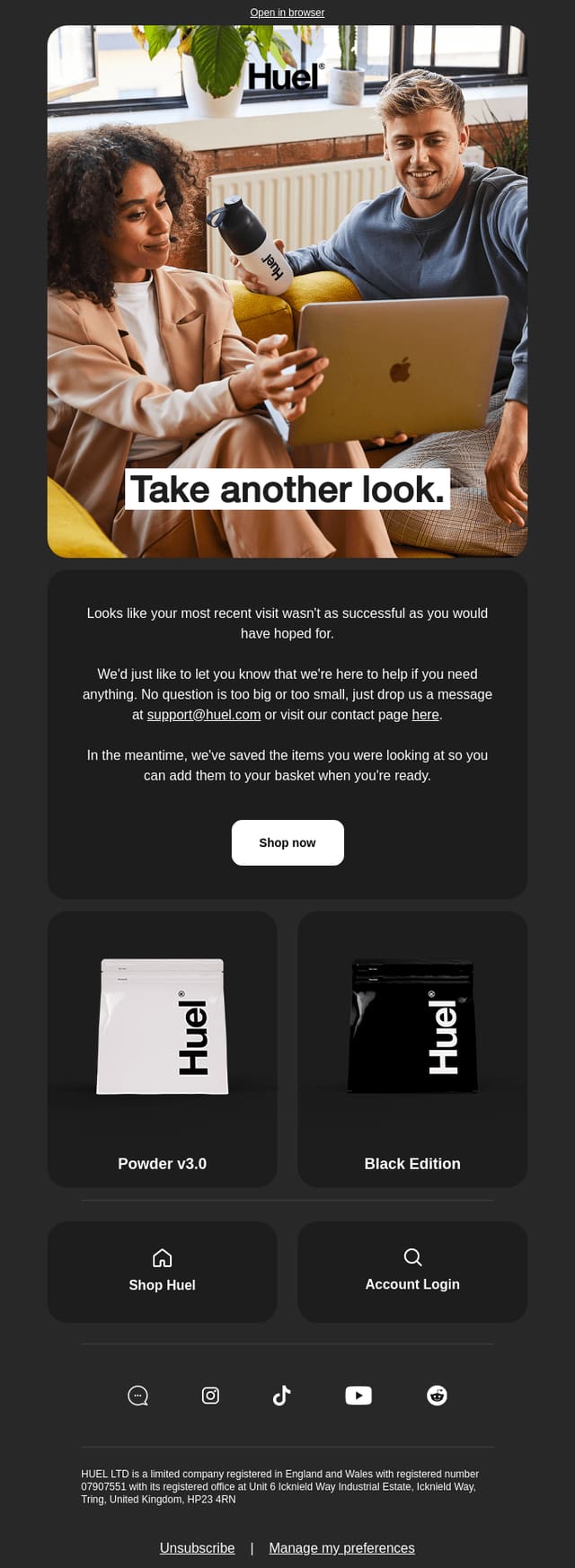
01 · Show what they viewed
4. Huel
Sells meal shakes and powders
Subject line
“Hueligan, take another look.”
Offer
None
Layout
Take another look, an offer to help by email, then the two powders they viewed.
Sent with
Emarsys
Archived
Really Good Emails, 2023
Why it works: “No question is too big or too small.” It gives a support address before it shows the products.
See the full email
Email 2: more to choose from
If the product viewed wasn't right, show close alternatives and remove the risk.
02 · Widen the choice
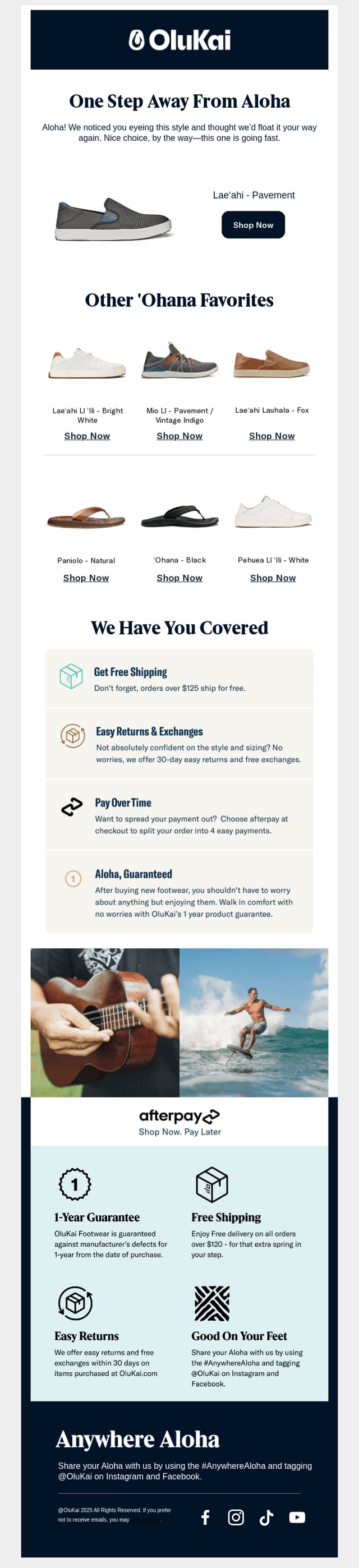
5. OluKai
Sells shoes and sandals
Subject line
“Did you see something you liked?”
Offer
None
Layout
One step away from aloha, the shoe viewed, six other favorites, then shipping, returns and warranty.
Sent with
Klaviyo
Archived
Really Good Emails, 2025
Why it works: It answers the shoe doubts in one block: free shipping, 30-day returns, pay over time and a one-year guarantee.
See the full email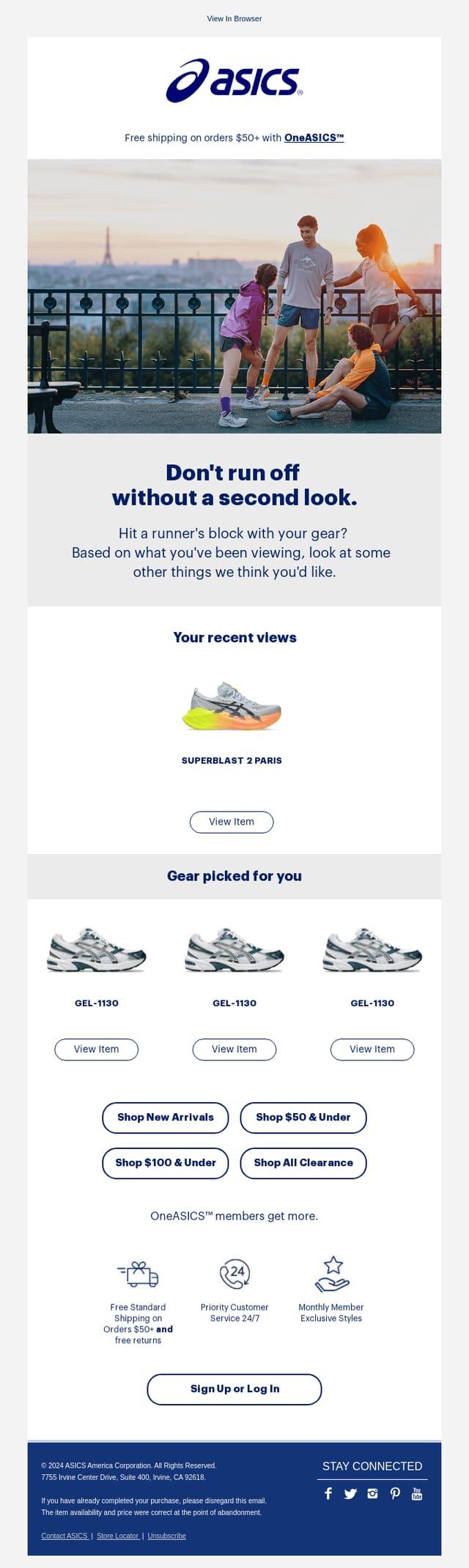
02 · Widen the choice
6. ASICS
Sells running shoes
Subject line
“Come back and take another look.”
Offer
None; free shipping over $50 for members
Layout
Don't run off without a second look, your recent views, gear picked for you, then price ranges.
Sent with
Amazon SES
Archived
Really Good Emails, 2024
Why it works: It labels each block for what it is: your recent views, then picks based on them, then shop by price.
See the full email
Email 3: a nudge, or no sell at all
The last email. Two opposite ways to end the series.
03 · Nudge, or don't sell
7. Brondell
Sells bidet seats
Subject line
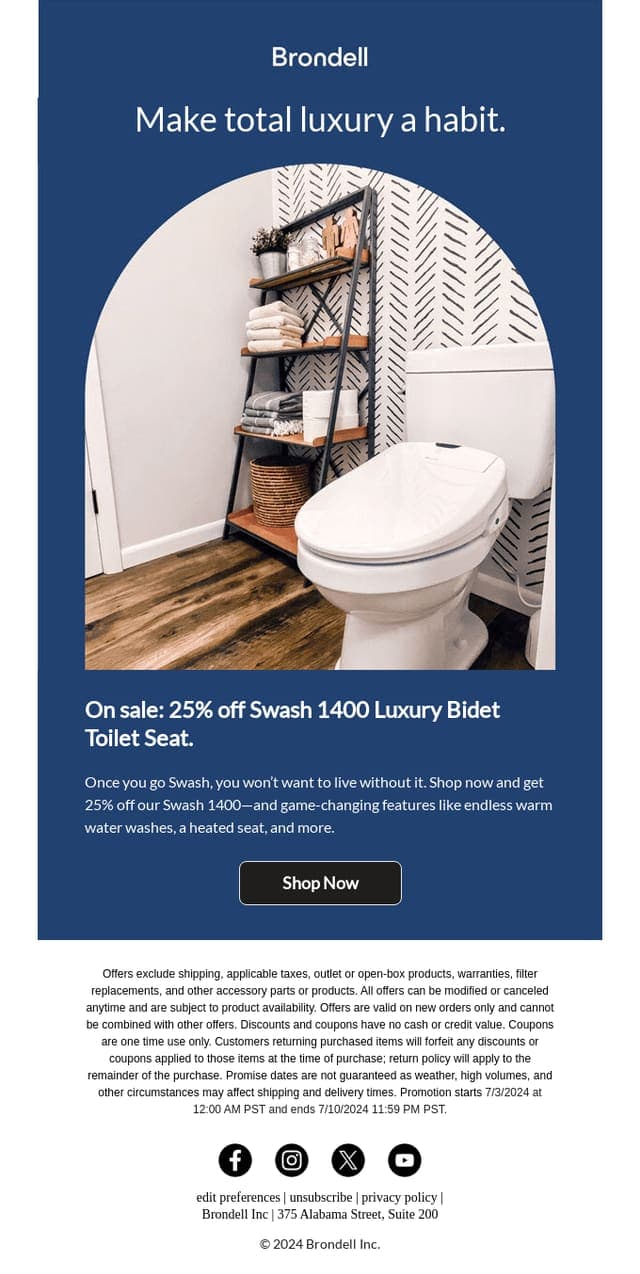
“Must-see deal 👀: 25% off Swash 1400.”
Offer
25% off the product viewed, with an end date
Layout
Make total luxury a habit, the bidet seat, the sale in one line, then Shop now.
Sent with
Omnisend
Archived
Really Good Emails, 2024
Why it works: The discount is on the exact product viewed, and the fine print gives the sale's end date.
See the full email
03 · Nudge, or don't sell
8. Patagonia
Sells outdoor clothing
Subject line
“Thanks for stopping by”
Offer
None
Layout
Thanks for stopping by, then stories, activism and films instead of products.
Sent with
Klaviyo
Archived
Really Good Emails, 2025
Why it works: No product and no price at all. Patagonia sends the visitor its stories and films, which fits a brand that sells on values.
See the full email
Subject lines from these emails
Most ask a question; only two say outright that you looked.
“Did something catch your eye?”
Perc Coffee
“Half-browsed, half-shaved… tragic.”
Dollar Shave Club
“You checked this out, how can we help?”
Rebecca Udall
“Hueligan, take another look.”
Huel
“Did you see something you liked?”
OluKai
“Come back and take another look.”
ASICS
“Must-see deal 👀: 25% off Swash 1400.”
Brondell
“Thanks for stopping by”
Patagonia
Need more? The free email subject line generator writes them from patterns like these, and the email template generator drafts the body.
What the best browse emails share
Lighter than a cart email
A view is weaker intent than a cart, so these ask softly: “Did something catch your eye?”
Offer help, not pressure
Huel and Rebecca Udall lead with a question you can reply to.
Show alternatives
OluKai and ASICS show what else fits, in case the first pick wasn't right.
Discount the exact product, if at all
Brondell's 25% is on the seat that was viewed, with an end date.
Build the page your browse email opens
The shopper already saw the product page and left. Send them somewhere that answers why.
A comparison page
The viewed product beside two alternatives, with the differences in a table.
Reviews up top
Real reviews and photos before the price, for a shopper still deciding.
Shipping and returns, answered
The terms OluKai lists in its email, on the page too.
Replo doesn't send email; your email app does. Replo builds the page, and with Klaviyo connected it drafts the emails for you to review and send.
Draft your browse emails and the page behind them
With Klaviyo connected, Replo drafts the flow for you to send, and builds the comparison page it links to.
More email examples from real stores
Email marketing for online stores
The six flows to run first, and which app to send from.
Abandoned cart emails
Twelve real cart emails and the three-email sequence they fit.
Welcome emails
Eight real welcome emails and the three-email series they fit.
Post-purchase emails
Eight real emails stores send after an order, from delivery to refill.
Win-back emails
Eight real win-back emails, from a reminder to a last goodbye.
Back in stock emails
Eight real restock emails and how a waitlist alert works.
Email subject line generator
Free subject lines modeled on real store emails.
Frequently asked questions
- What's the difference between browse abandonment and abandoned cart emails?
- How far the shopper got. A browse email goes to someone who viewed a product; a cart email goes to someone who added it to the cart. Cart emails convert better, at 3.55% against 0.96% in Klaviyo's numbers.
- Who can get a browse abandonment email?
- Only shoppers your email app can identify: subscribers or customers who clicked an earlier email or are logged in. An anonymous first-time visitor can't be emailed, which is why growing the list comes first.
- How many browse abandonment emails should you send?
- Klaviyo cites email experts who suggest at least three emails and one text in the flow. Start with one, the product they viewed, and add the others once it works.
- Does Replo send browse abandonment emails?
- No. Replo doesn't send email. With Klaviyo connected, Replo writes the browse flow and saves it in Klaviyo as a draft you review and turn on, and builds the page the emails link to.