ChatGPT Ads Manager: how OpenAI's ad tool works
ChatGPT Ads Manager is OpenAI's self-serve tool for buying ads in ChatGPT, at ads.openai.com. You build in three levels: a campaign sets the goal, budget and countries, an ad group holds the bid and context hints, and an ad holds the headline, copy, image and link. Reports show views, clicks, spend and conversions.
- Where you sign in
- ads.openai.com
- How it's built
- Campaign, ad group, ad
- Reports refresh
- About every 15 minutes
What each level of a campaign holds
Every campaign in Ads Manager has the same three levels, and each one controls different settings.
| Level | What you set | How to split it |
|---|---|---|
| Campaign | Goal, budget, dates, countries, platforms, custom audiences | One per goal, region or product line |
| Ad group | Bid strategy, maximum bid, context hints | One per kind of conversation |
| Ad | Headline, description, images, landing page link | Several distinct ads per offer |
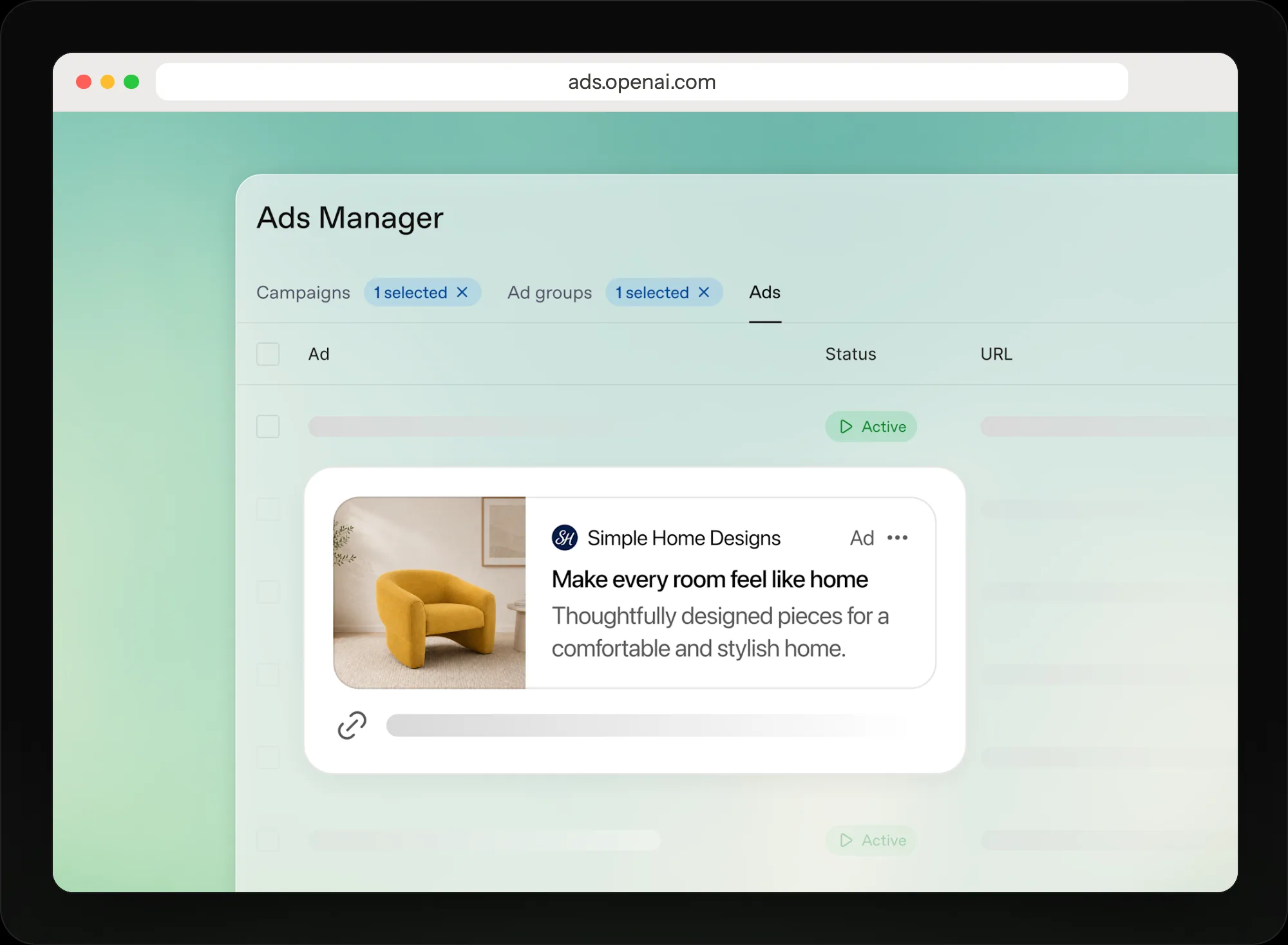
OpenAI's own Ads Manager picture: pick a campaign, then an ad group, to see its ads.
Find your way around Ads Manager
Set up the account once
Sign in at ads.openai.com with an OpenAI account on your work email. Add your logo in Settings, a billing profile and a card, then finish account verification, which ads need before they can serve. Settings is also where you manage members, permissions, API keys, billing details and the change log.
- Logo added in Settings
- Billing profile and card saved
- Account verified
Build a campaign
Create campaigns one at a time in the guided flow, or many at once by uploading a CSV. The CSV upload can't create product-feed campaigns yet. Pick the goal, budget and countries. To run only in the US, include the United States: excluding other countries alone doesn't restrict delivery.
Optional targeting covers platforms (iOS and Android apps, mobile web and desktop web) and custom audiences. An audience you include needs at least 25,000 matched people; one you exclude can be smaller. Some new accounts can advertise only in their home country until verification is approved and they've spent enough there.
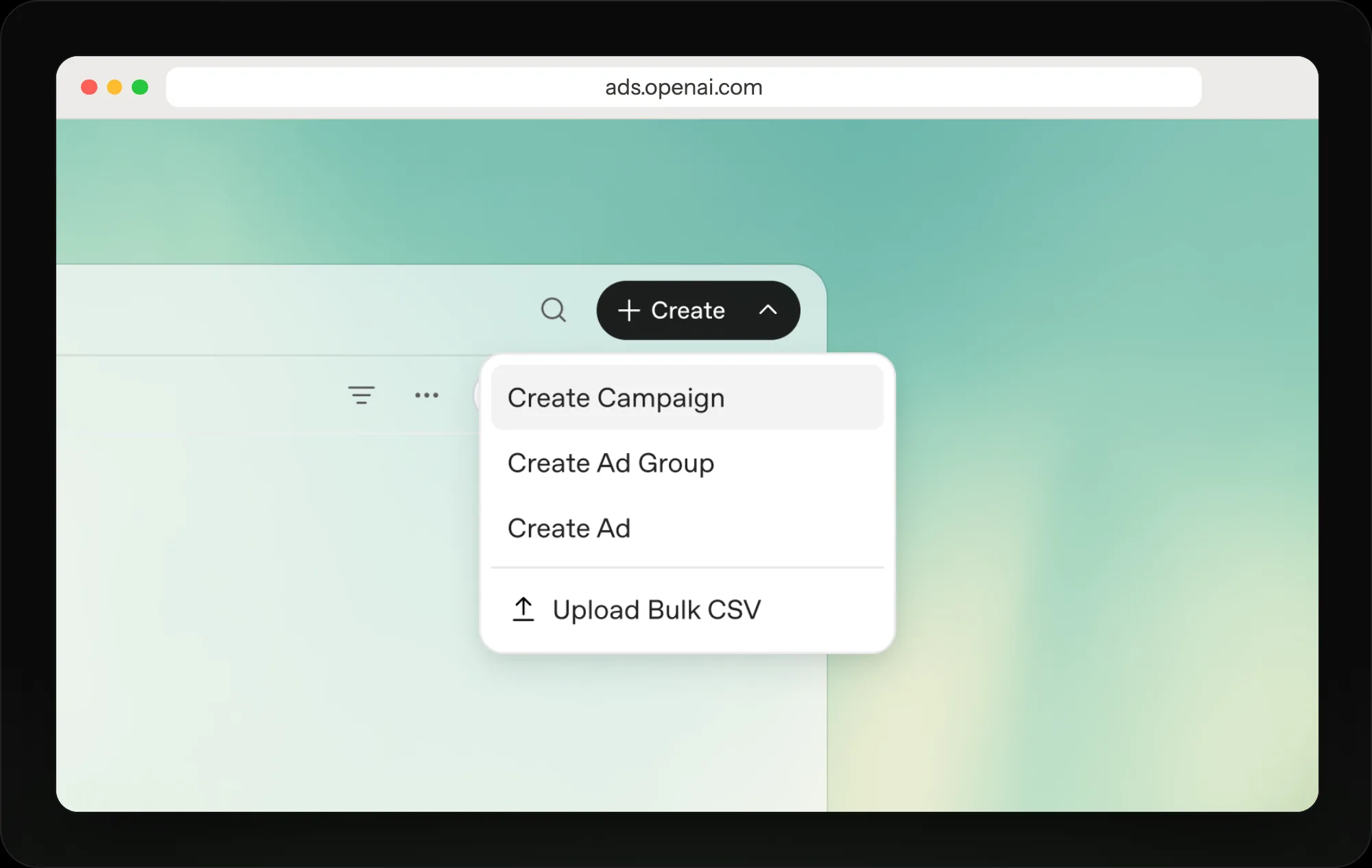
Everything starts from Create: a campaign, an ad group, an ad, or many at once by CSV.
Write context hints per ad group
Context hints tell OpenAI what your product is, who it helps and when it's useful. Write one clear phrase per idea, such as OpenAI's example "cushioned everyday running shoes for beginners training for their first 5K", rather than a list of keywords.
Hints aren't targeting rules. "Show this ad only to people in Chicago" does nothing; use the campaign's location settings for that. Start a new ad group when a use case needs different messaging or a different landing page.
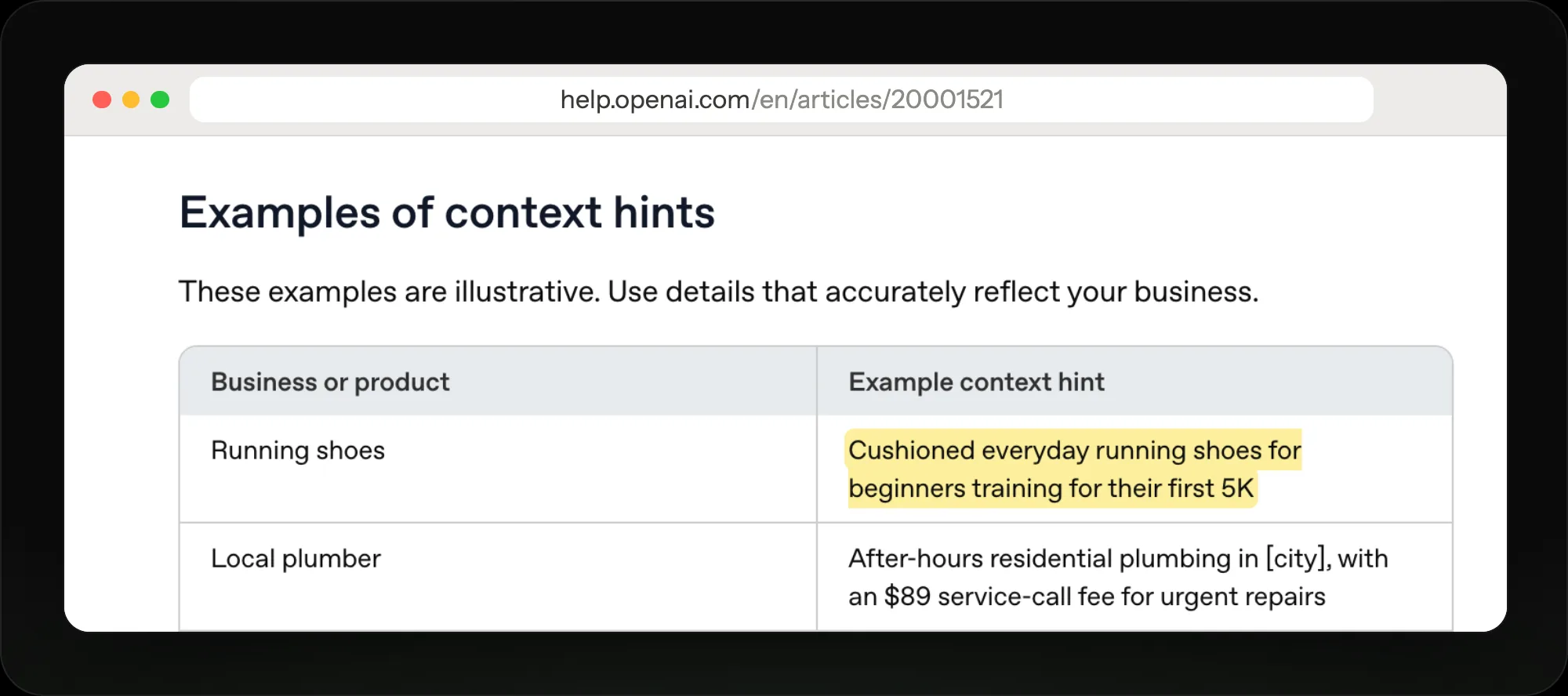
A good hint names the product, the buyer and the moment, in one plain sentence.
Add ads, or start from a draft
Each ad has a headline, a description, a link and either one image or four to six square images. Where more ads would help delivery, Ads Manager offers Add new ad, which fills a draft from your site's existing title, description and image for you to edit. It doesn't write new copy or images with AI.
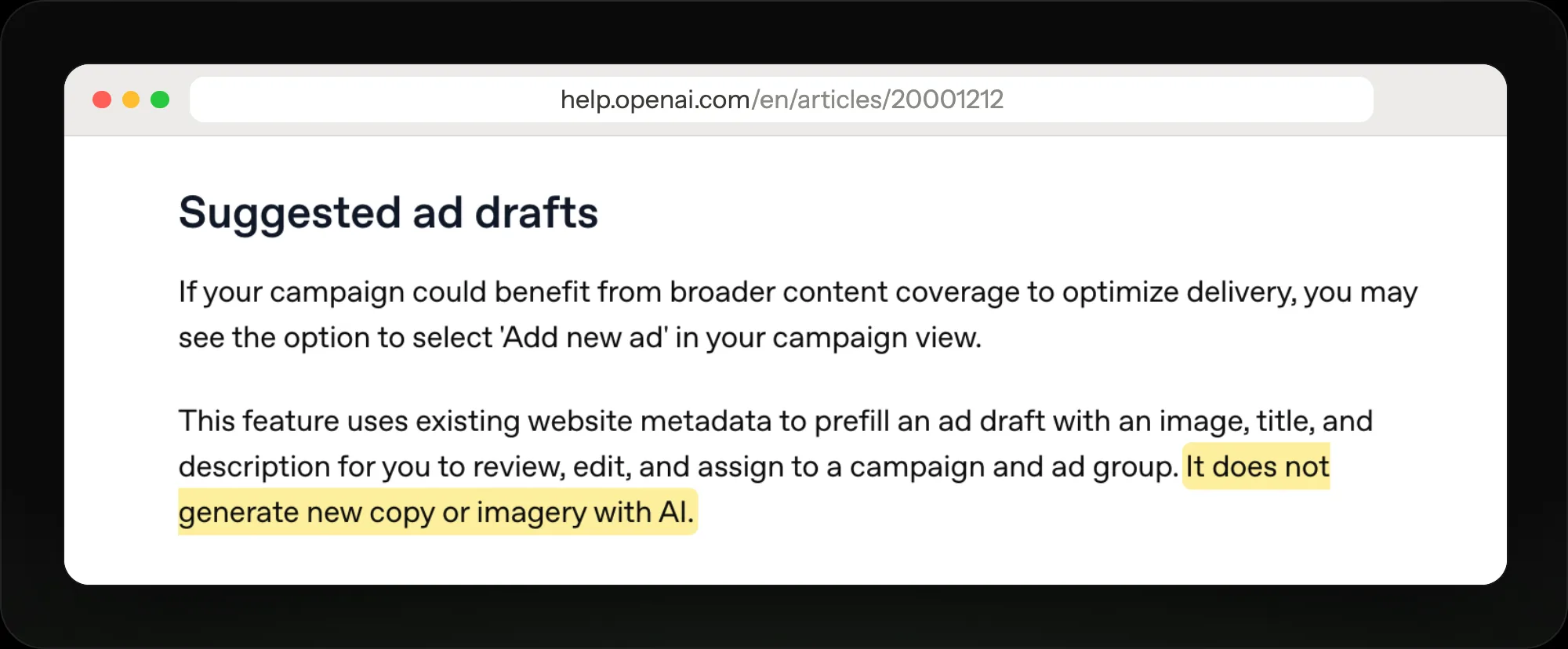
Drafts copy your page's own title, description and image, so fix those first.
Read the reports
Results show as a table of campaigns, ad groups and ads, as charts over time, or as a CSV export. Views, clicks and click-through rate refresh about every 15 minutes; spend can lag 7 to 8 hours. Split results by platform to compare app and web. If an ad says Not serving, hover over the status to see why.
Change what the numbers tell you
Edit one field inline, or many ads at once with bulk edit. Some changes need a new campaign instead: a campaign's goal can't change, and Clone Campaign only makes a copy with a different goal or billing model. When one ad group wins, give it more budget and a landing page that matches its conversation.
Give each ad group its own page
Replo builds a landing page for each ad group's conversation and A/B tests it, so the ad and the page say the same thing.
The prompt Replo starts from
Build a landing page for my ChatGPT ad group about [product]. The ad shows to people asking [the conversation your context hints describe]. Answer that question first, then show the product, price and reviews with one buy button.
Edit the words in brackets once Replo opens.
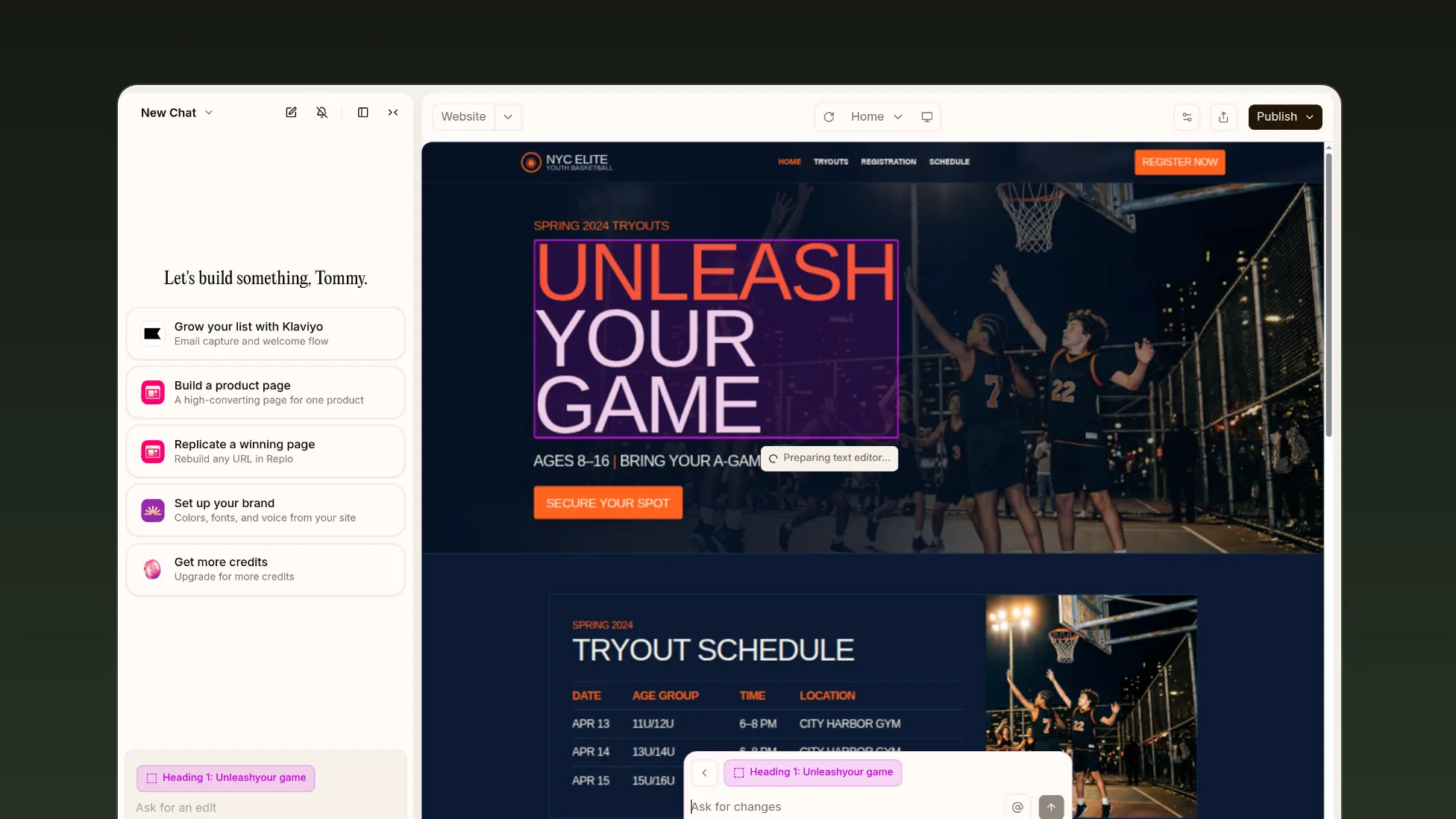
Describe the ad group's chats in Replo, then click any part of the page to change it.
Frequently asked questions
- Where do I sign up for ChatGPT Ads Manager?
- At ads.openai.com, with an OpenAI account on your work email. If self-serve isn't open in your country yet, you can still create an account and OpenAI emails you when it opens, but the account doesn't give earlier access.
- What are context hints in ChatGPT Ads Manager?
- Short descriptions, set per ad group, of what your product is, who it helps and when it's useful. OpenAI weighs them with the chat, your ads and your landing page. They aren't keywords or targeting rules, and they don't guarantee where an ad shows.
- Can I use ChatGPT Ads Manager with Shopify?
- Yes, in the US. The ChatGPT Ads app for Shopify syncs your catalog into a product feed, connects the OpenAI Pixel and can launch campaigns from Shopify. Ads Manager still has more settings, such as budgets in any amount instead of $25 steps.
- Can I change a campaign's goal in Ads Manager?
- No. The goal sets how a campaign is priced and optimized, so OpenAI asks you to create a new campaign with the goal you want. Some budget changes are one-way too: a total budget switched to daily can't switch back.
- Does Replo manage ChatGPT Ads Manager for me?
- No. You run campaigns in OpenAI's Ads Manager yourself. Replo builds the landing page each ad group links to, tests versions of it, and shows which page turns ChatGPT ad clicks into sales.