How to find your finance and tax reports in Shopify
Short answer
In your Shopify admin, go to Analytics, then Reports, filter Category to Finances, and open Finance summary for sales, payments, gift cards, tips and gross profit in one view. For sales tax, open Taxes, or the United States sales tax report if you use Shopify Tax. Replo sends sales totals, not tax or payments.
Open the report in your Shopify admin
Open Analytics, then Reports
From your Shopify admin's left menu. In the Shopify app, tap the menu icon first.
Filter Category to Finances
Click the Category filter and pick Finances, so only finance reports are listed.
Open Finance summary
Sales, payments, gift cards, tips and gross profit in one view, with links to each detailed report.
Open Taxes for sales tax
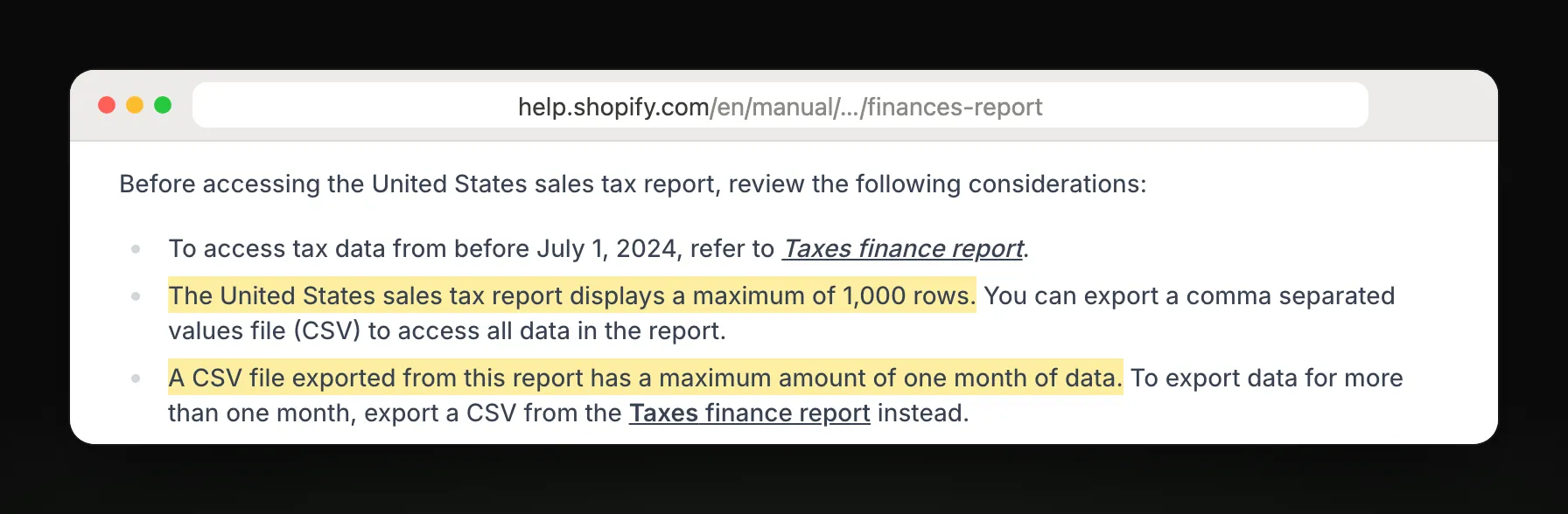
Taxes by country, region, rate and channel. US stores on Shopify Tax also get a US sales tax report.
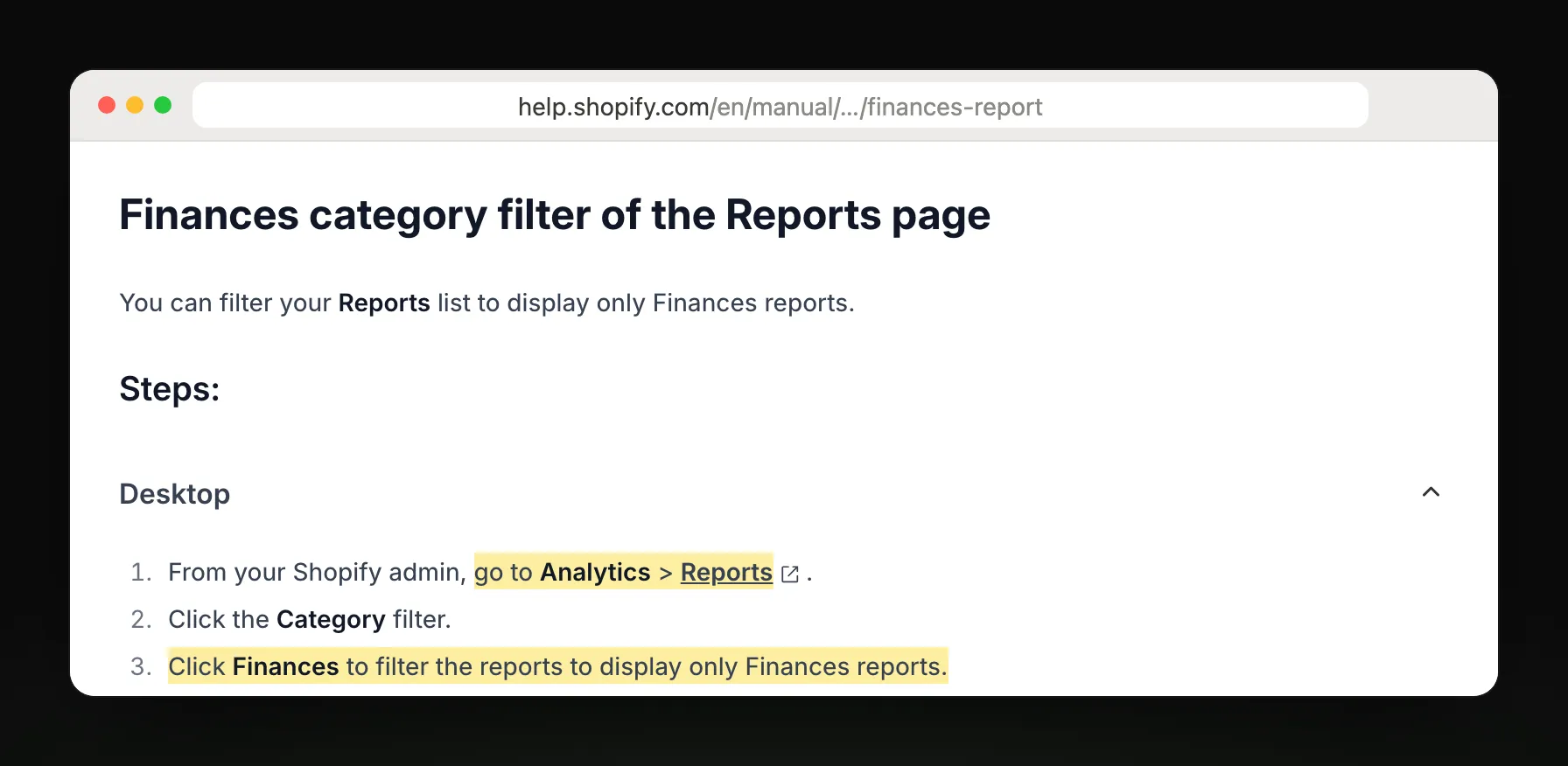
Steps and report names from Shopify Help Center: Finance reports.
Which finance report answers your question
| You want to know | Report |
|---|---|
| What did I sell after discounts? | Total sales breakdown |
| What did each order add up to? | Total sales by order |
| How much was I paid? | Payments over time |
| Which gateway paid what? | Payments by gateway |
| How much tax did I collect? | Taxes |
| What's my sales tax by state? | United States sales tax report |
| What gift card value is unspent? | Outstanding gift card balance |
| What made up my payouts? | Shopify Payments activity report, under Finance, then Documents |
What Shopify's report leaves out
Sales and payments can differ for the same period, because an order can be placed in one period and paid in another.
The US sales tax report shows at most 1,000 rows and exports one month at a time; use Taxes for longer periods.
Tax-exempt customers and products are left out of net sales.
Gift cards created in the admin aren't counted as sales, and unspent balances are liabilities your accountant may treat separately.
Get last month's sales on the 1st
Monthly sales totals, by email
Replo reads Shopify total sales for any date range, and can email last month's total against the same month last year on the 1st of each month.
Replo sends today
- Monthly totals against last year
- Total sales against last week
- Emailed to up to 10 teammates
Still in Shopify
Taxes collected by region
Payments, payouts and fees
Gift card and store credit balances
Frequently asked questions
- Where are finance reports in Shopify?
- In your Shopify admin, go to Analytics, then Reports, and filter Category to Finances. Start with Finance summary: it shows sales, payments, gift cards, tips and gross profit for the period, with links to each detailed report.
- How do I get a sales tax report from Shopify?
- Open Analytics, then Reports, and choose Taxes for tax by country, region and rate. US stores using Shopify Tax in US dollars also get the United States sales tax report, which exports one month per CSV.
- Why don't my sales and payments reports match?
- Sales reports count the value of orders when they're placed; payments reports count money when it's received. An order placed on the 31st and paid on the 1st lands in different months, and canceled authorizations only show in sales.
- Can Shopify email me a finance report?
- Not as a scheduled report: you open it in the admin or export a CSV. Shopify Flow can send a scheduled email you build yourself. Replo can email your monthly sales total against last year; taxes and payments stay in Shopify.