Email marketing for small business
Email marketing for small business is sending your own customers and subscribers emails that bring them back to buy. At 2,500 contacts it costs $15 to $60 a month. Set up five automatic emails first, then send one email a week.
How Sideserf Cake Studio did it
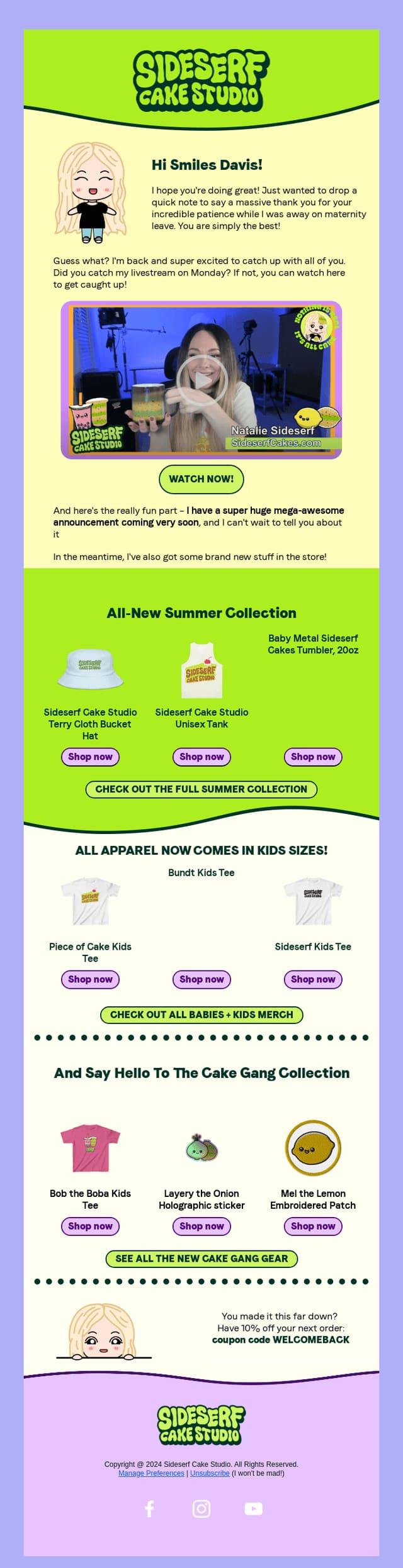
Natalie Sideserf graduated from Ohio State with a fine arts degree and moved to Austin in 2011. In February 2013 she entered a bust cake of Willie Nelson in a cake competition, and soon after started Sideserf Cake Studio. She and her husband Dave later hosted Food Network's Texas Cake House, and the studio now sells cake art merch online. When Natalie came back from time away, her email to lapsed customers opened “Howdy Stranger!” with a personal note, and saved a 10% code for the very end.
Sources: Sideserf Cake Studio: My story · Food Network: Natalie and Dave Sideserf · Sideserf's win-back email
What does email marketing cost a small business?
Your email app sends each email and runs the automatic ones. Here is what five of them charge a small list.

Shopify Messaging
Included with Shopify
- 500 contacts
- $0 a month
- 2,500 contacts
- $15 a month
- Free plan
- 10,000 emails a month free
- Fits
- A Shopify store that wants email in its admin

MailerLite
Comfort
- 500 contacts
- $12 a month
- 2,500 contacts
- $33 a month
- Free plan
- Free up to 250 subscribers and 2,500 emails a month
- Fits
- A newsletter first, a few automations

Omnisend
Standard
- 500 contacts
- $16 a month
- 2,500 contacts
- $44 a month
- Free plan
- Free up to 250 contacts and 500 emails a month
- Fits
- A store that wants email and texts cheap

Klaviyo
Email
- 500 contacts
- $20 a month
- 2,500 contacts
- $60 a month
- Free plan
- Free up to 250 active profiles and 500 emails a month
- Fits
- A store that will segment by orders

Mailchimp
Standard
- 500 contacts
- $20 a month
- 2,500 contacts
- $60 a month
- Free plan
- Free up to 250 contacts and 500 emails a month, with no automated flows
- Fits
- A business that already uses Mailchimp
Replo
Works beside any of them
- 500 contacts
- Doesn't send email
- 2,500 contacts
- Doesn't send email
- Free plan
- Free plan to build and publish your first site
- Fits
- Drafts emails in Klaviyo and builds the pages they open
List prices from each app's own pricing page, billed monthly. Shopify Messaging charges by emails sent, so it's priced at about 10 emails per contact a month. Mailchimp's free plan has no automated emails.
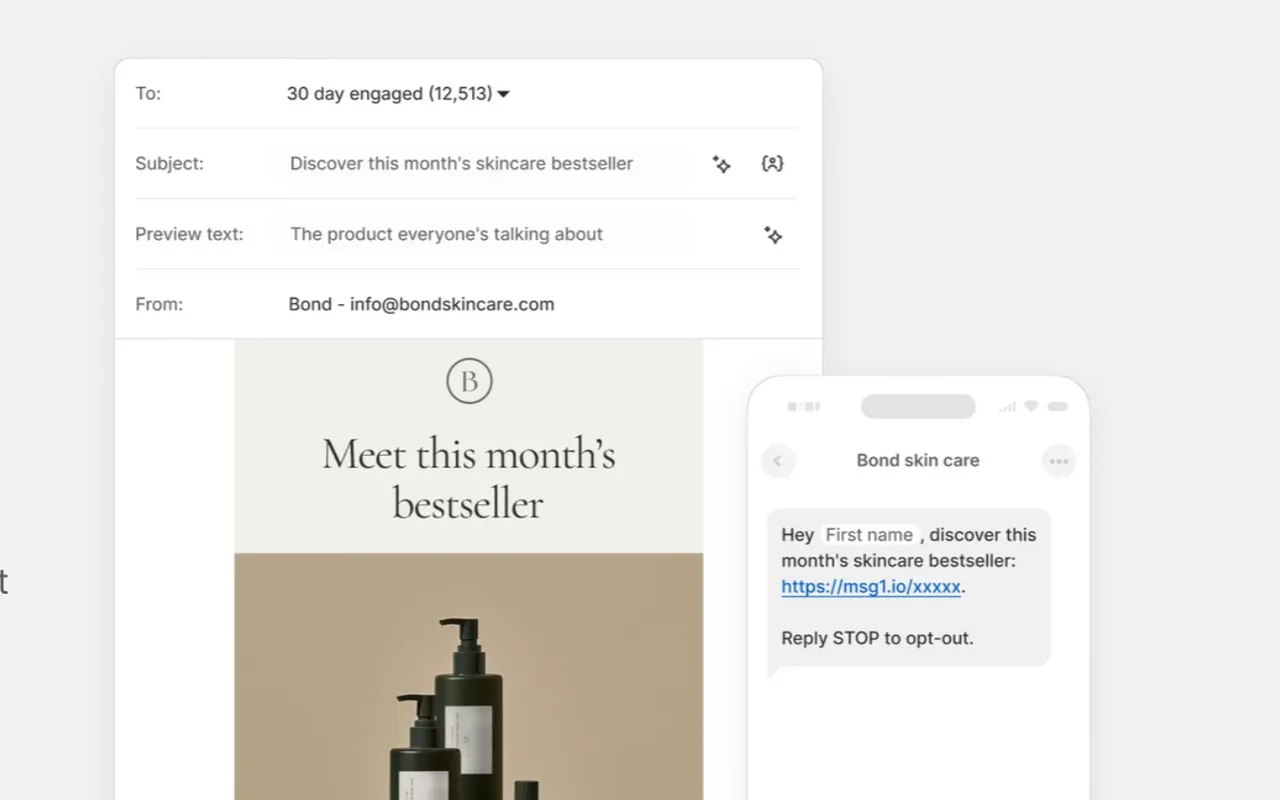
Shopify Messaging sends from your Shopify admin. The first 10,000 emails a month are free. Screenshot: shopify.com.
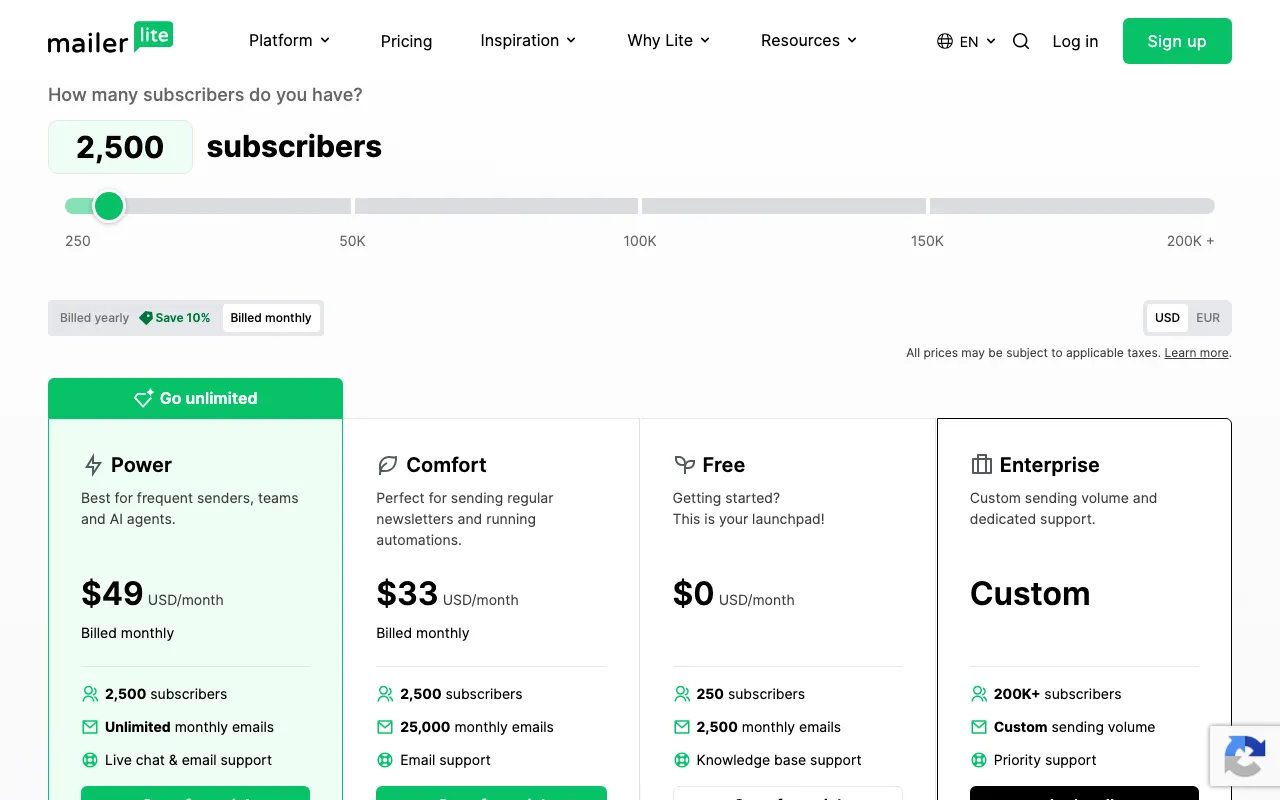
MailerLite's pricing at 2,500 subscribers: Comfort is $33 a month with 25,000 emails. Screenshot: mailerlite.com.
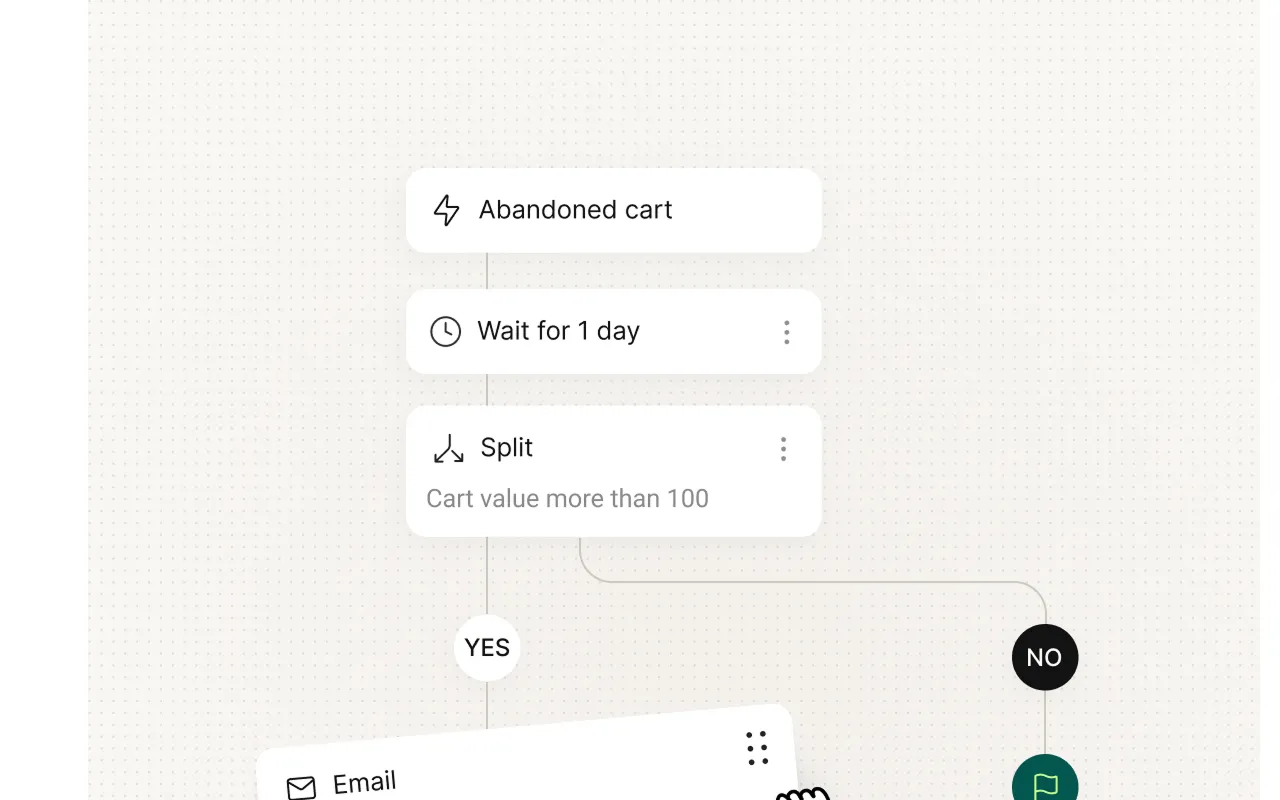
Omnisend's builder: a cart email waits a day, then splits on cart value. Screenshot: omnisend.com.
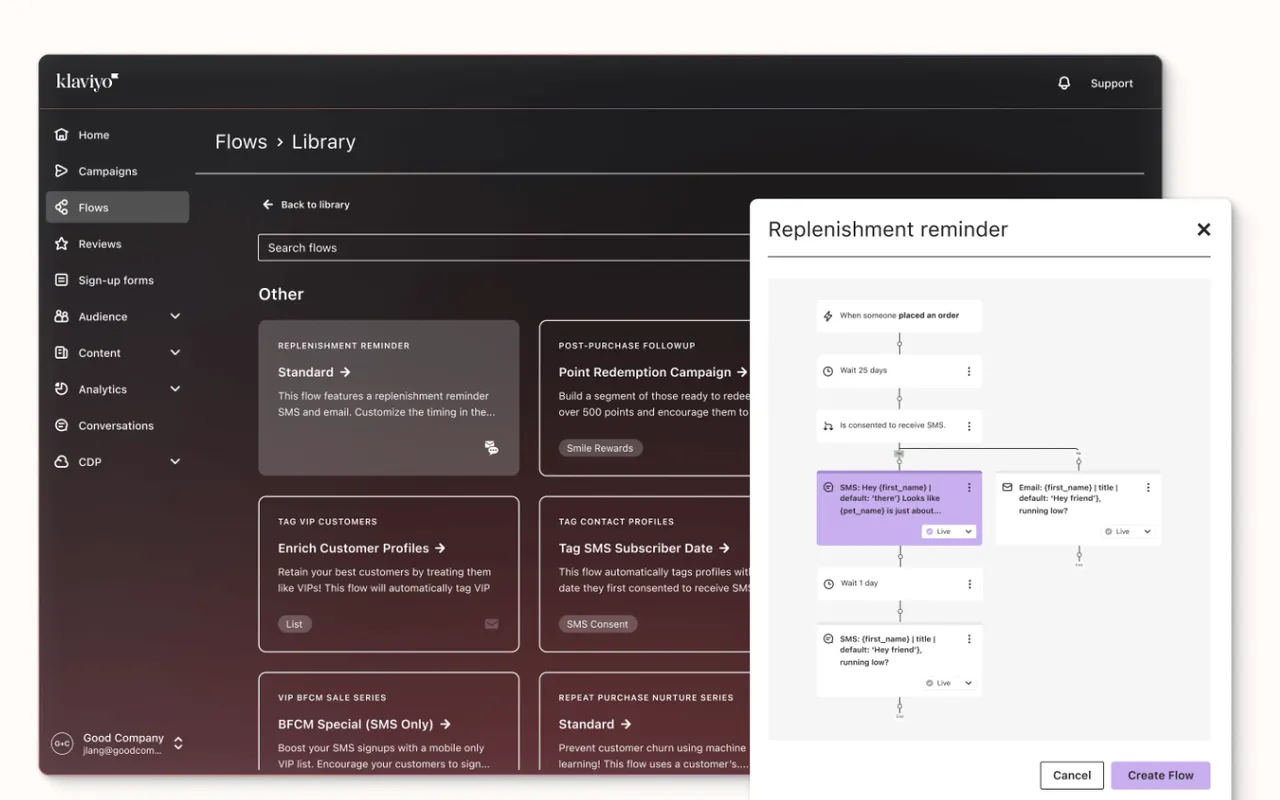
Klaviyo's flow library: pick a flow, then edit each email in it. Screenshot: klaviyo.com.
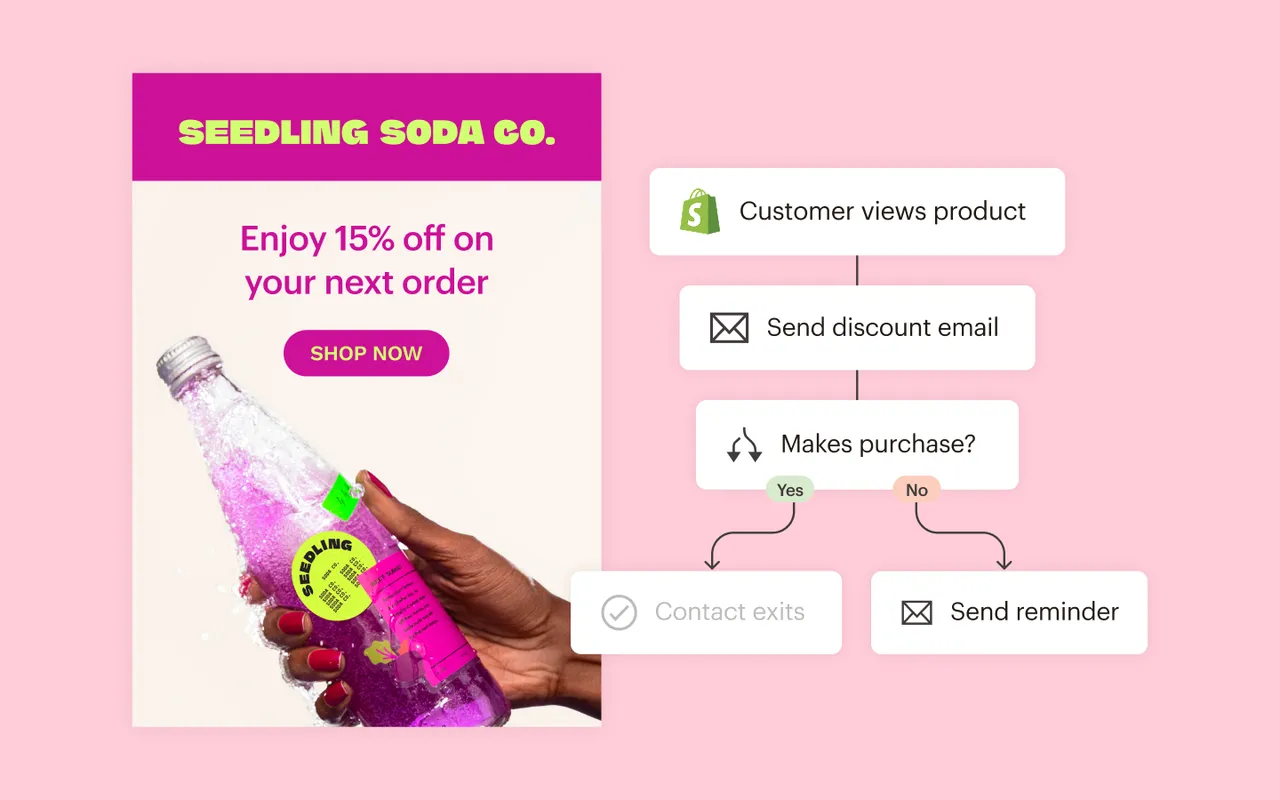
Mailchimp's flow: a product view sends a discount, then a reminder. Screenshot: Mailchimp's Shopify App Store listing.
Past 5,000 contacts the order changes. See the Klaviyo alternatives priced at 25,000 contacts, or Mailchimp vs Klaviyo side by side. Leaving Mailchimp? See the Mailchimp alternatives priced at 2,500 and 10,000 contacts.
Which five emails should you set up first?
These send themselves when a shopper acts, so they sell while you run the business. Each links to real examples.
1. Right after someone joins your list
Welcome email
Say what you sell, what's coming and give the signup offer.
2. A few hours after a cart is left
Abandoned cart email
Show the exact product left behind and one button back to the cart.
3. A day after a product view with no add to cart
Browse abandonment email
Show the product they looked at and ask if they have a question.
4. From delivery to the first refill
Post-purchase email
Ask for a review once the order lands, then for a second order.
5. After months with no order
Win-back email
Write a personal note first, and save any discount for the end.
What do these emails look like from small brands?
One real email for each of the five, from a small store, with the app it was sent from.
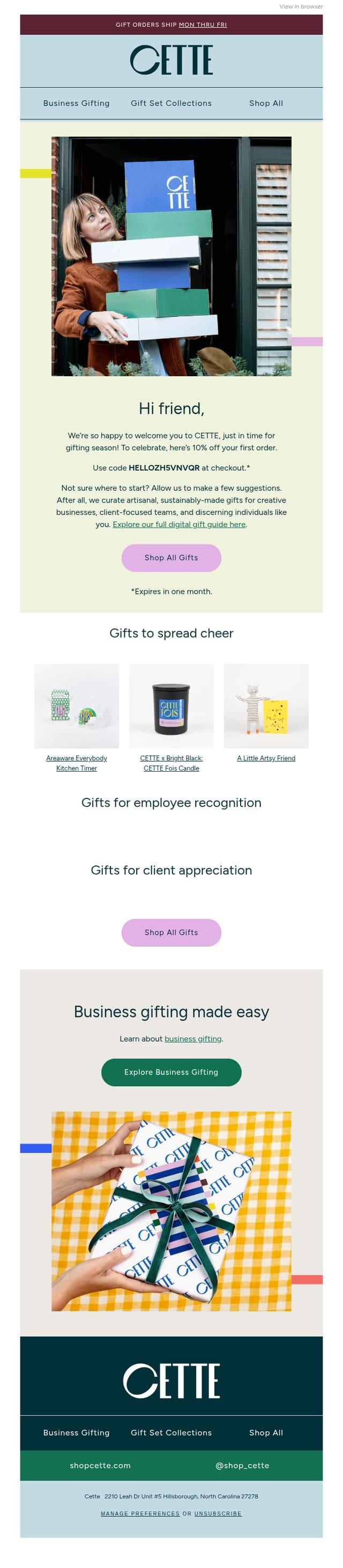
Scroll inside the email to read it all.
Welcome email
1. CETTE
Sells curated gifts
Subject line
“Your 10% off coupon is here!”
Offer
10% off, expires in a month
Layout
Hi friend, the code, a link to the gift guide, then gifts grouped by who they're for.
Sent with
Klaviyo
Archived
Really Good Emails, 2026
Why it works: “Not sure where to start?” It answers with three short lists: gifts for cheer, for employees and for clients.
See the full emailSee more welcome email examples.
Scroll inside the email to read it all.
Abandoned cart email
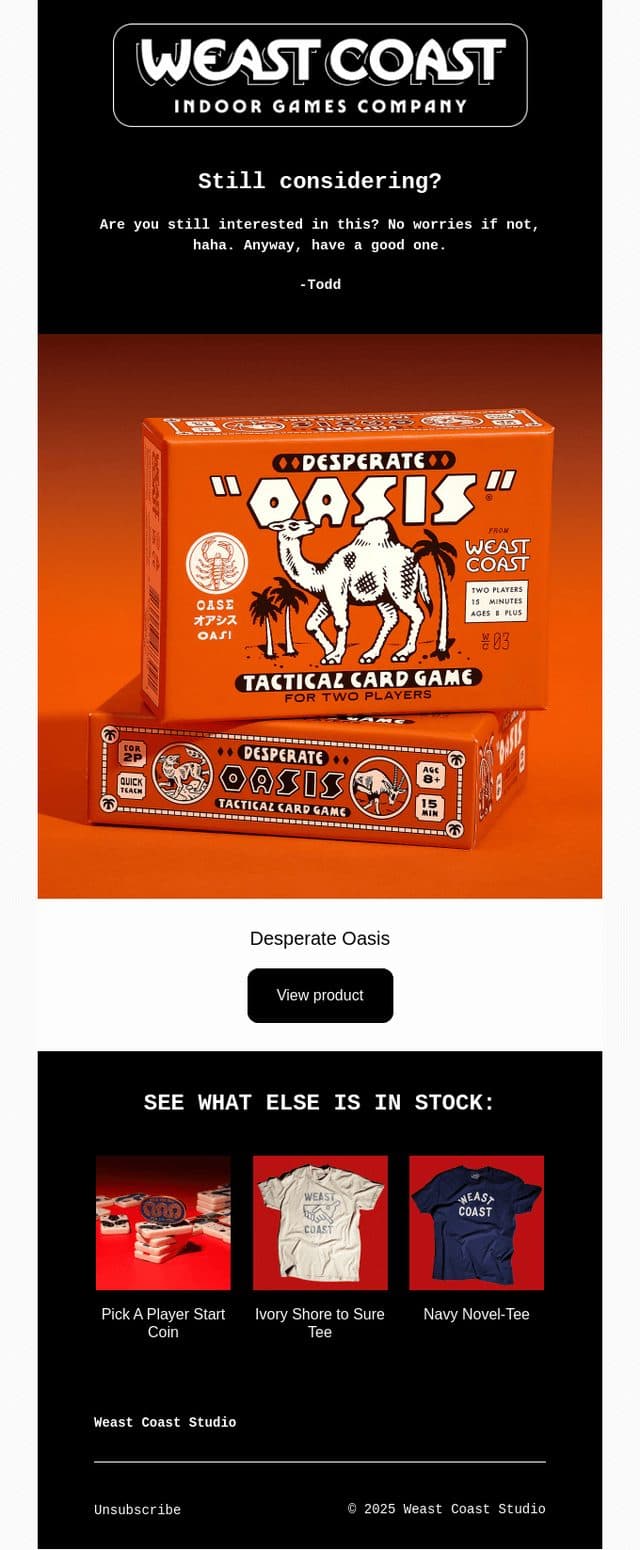
2. Weast Coast
Sells card and board games
Subject line
“Did something catch your eye?”
Offer
None
Layout
A note signed by Todd, the game with View product, then three other products in stock.
Sent with
Shopify Messaging
Archived
Really Good Emails, 2025
Why it works: It reads like a person wrote it: “No worries if not, haha. Anyway, have a good one.” It's built with Shopify's own email tool.
See the full emailSee more abandoned cart email examples.
Scroll inside the email to read it all.
Browse abandonment email
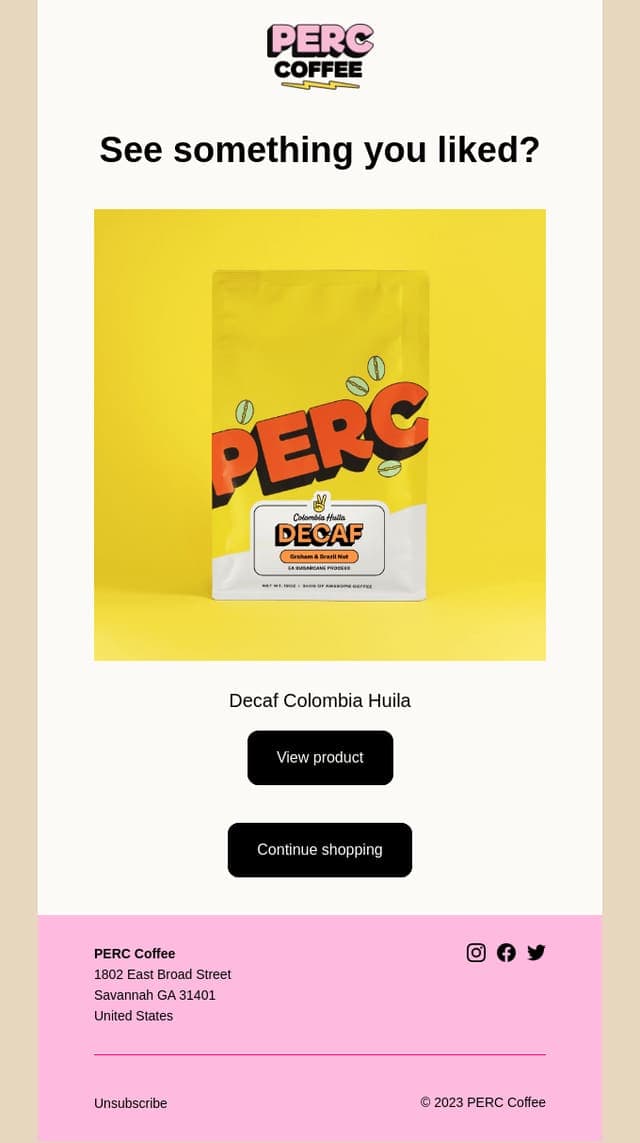
3. Perc Coffee
Sells coffee
Subject line
“Did something catch your eye?”
Offer
None
Layout
See something you liked? The bag, View product, then Continue shopping.
Sent with
Shopify Messaging
Archived
Really Good Emails, 2023
Why it works: The shortest email here: one product and two buttons. Built with Shopify's own email tool, so a new store can send it too.
See the full emailSee more browse abandonment email examples.
Scroll inside the email to read it all.
Post-purchase email
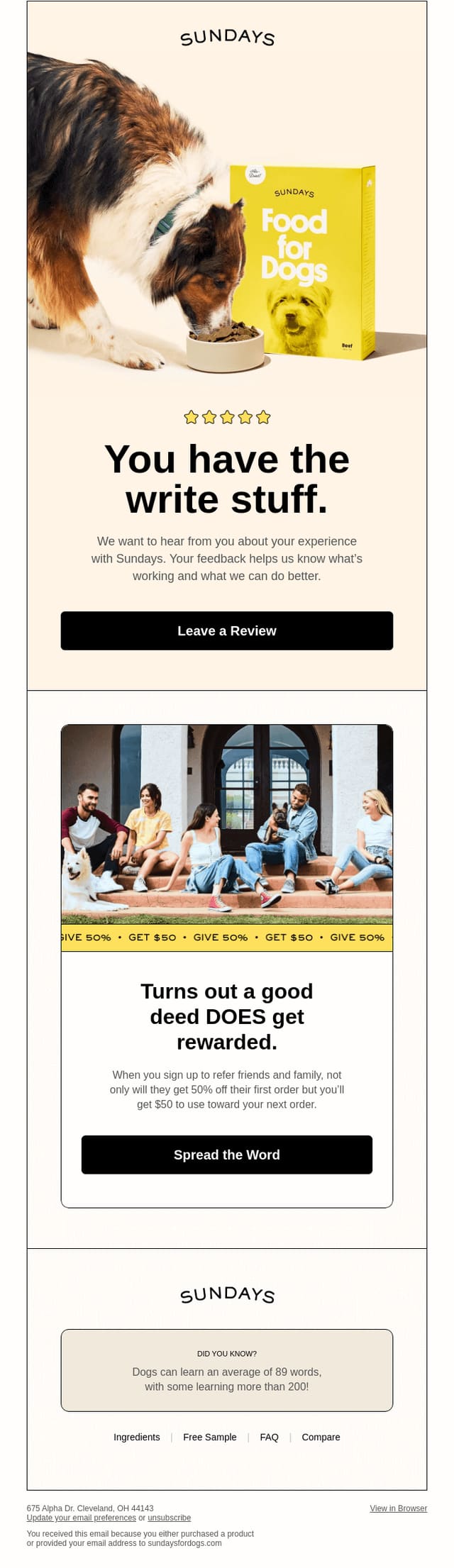
4. Sundays
Sells air-dried dog food
Subject line
“Got two minutes?”
Offer
Give 50% off, get $50 for referrals
Layout
You have the write stuff, Leave a review, then the referral offer with Spread the word.
Sent with
Klaviyo
Archived
Really Good Emails, 2023
Why it works: It asks for two things in order: a review first, then a referral that pays $50 toward the next order.
See the full emailSee more post-purchase email examples.
Scroll inside the email to read it all.
Win-back email
5. Sideserf Cake Studio
Sells cake art merch
Subject line
“Howdy Stranger! 🤠”
Offer
10% off with code WELCOMEBACK, at the very end
Layout
A note from the founder, a livestream link, the new collection, then the code at the bottom.
Sent with
Klaviyo
Archived
Really Good Emails, 2024
Why it works: It reads as a personal update from the founder, back from leave, and saves the code for readers who scroll to the end.
See the full emailSee more win-back email examples.
What should you send every week?
Send one campaign a week on top of the automatic emails. Rotate four kinds so it never reads like a coupon feed.
Show something new
A new product, flavor or color, with one photo and one button.
Little Chonk, “Big News for Small Dogs”
Teach one thing
A recipe, a how-to or a care tip that uses what you sell.
Yep Kitchen, “The secret to Sichuan Heat”
Tell the story
A note from the founder, a supplier visit or a customer's photo.
Marsh Hen Mill, “A Record Year for Marsh Hen Mill”
Make one offer
A sale, a bundle or free shipping, with an end date.
Milk Bar, $15 off orders of $80 or more

Scroll inside the email to read it all.
Week 2: teach one thing
6. Yep Kitchen
Sells chilli oil
Subject line
“The secret to Sichuan Heat 👀🔥”
From the email
“Most chillies chase heat. Erjingtiao chases flavour.”
Layout
A jar on a bold yellow hero, a typewriter-style story about one chilli, sourcing photos, then the jar again.
Sent with
Mailchimp
Archived
Really Good Emails, 2026
What it does well: One ingredient gets the whole email, and the reader leaves knowing something a chef knows. The product shows up as the place to taste it.
See the full emailHow do you grow your list from zero?
Most small lists start with buyers and visitors who never left an email. Ask them in three places.
Offer something for the email
A first-order discount, free shipping or a guide, in a signup form on every page.
Ask at checkout
Turn on the email signup checkbox, so every buyer can join your list.
Collect in person
A QR code at markets, pop-ups and in each package, linked to your signup page.
Need an offer worth the email? See these lead magnet ideas.
Replo drafts your emails and builds their pages
Replo doesn't send email. Your email app sends it, and Replo does the work around it.
Draft emails in Klaviyo
Replo writes your emails and saves them in Klaviyo as drafts you send.
Build the page after the click
Each email opens a page with its own products and offer, on your brand.
Grow the list on your site
Replo adds your Klaviyo signup form to the pages it builds.
Sending from Shopify Messaging, MailerLite or Mailchimp? Replo still builds the page; paste its link into your email. To write one email fast, try the free AI email generator or the email subject line generator.

 Best seller
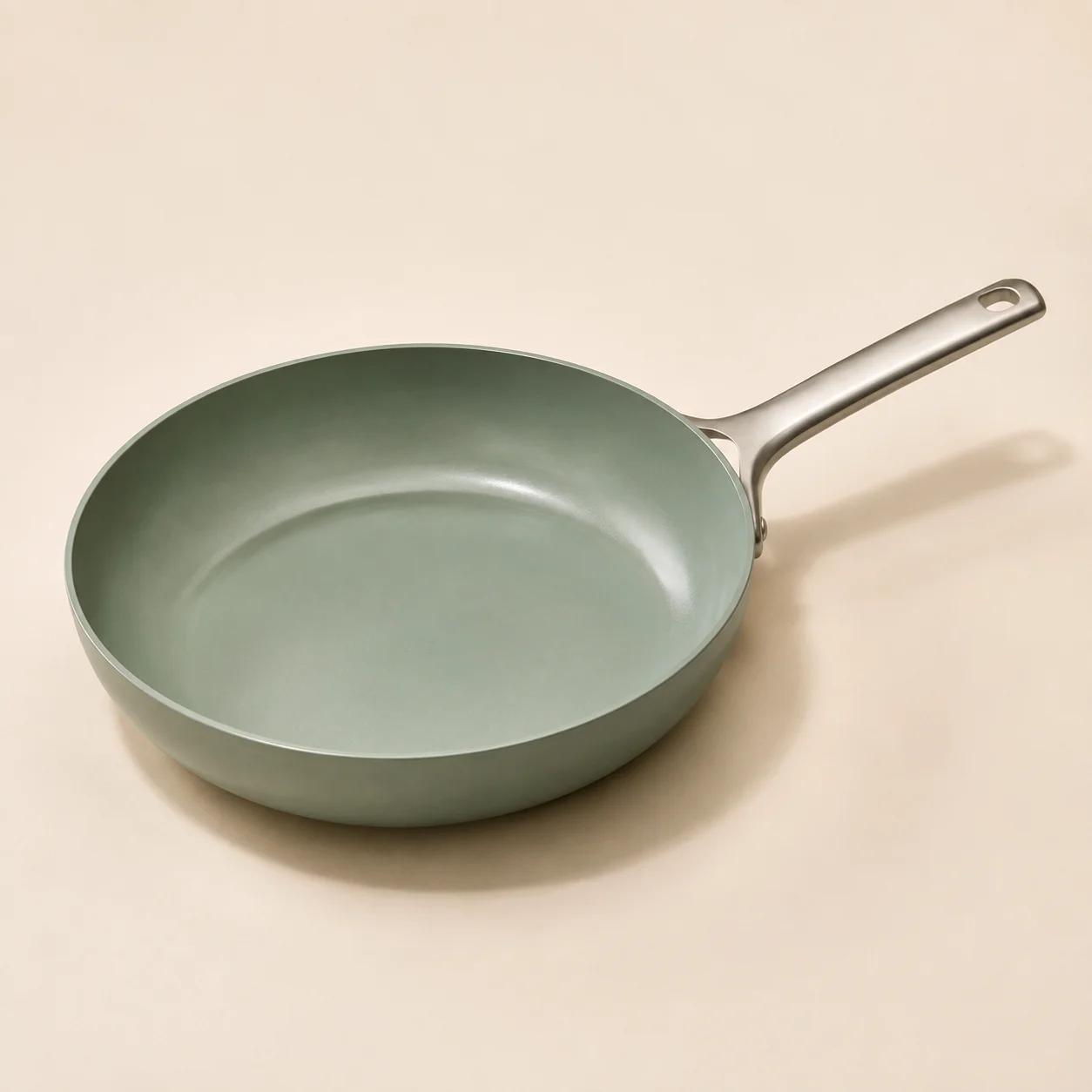
is back on the stoveYou asked us to tell you the moment it came back. The new batch landed this morning and ships this week.PFAS-free ceramicOven-safe to 550°FLifetime warranty
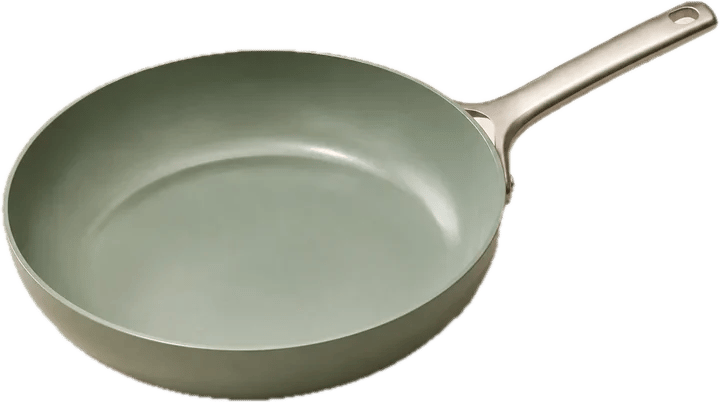 Pan Pair$155 · 8″ + 10″ pans
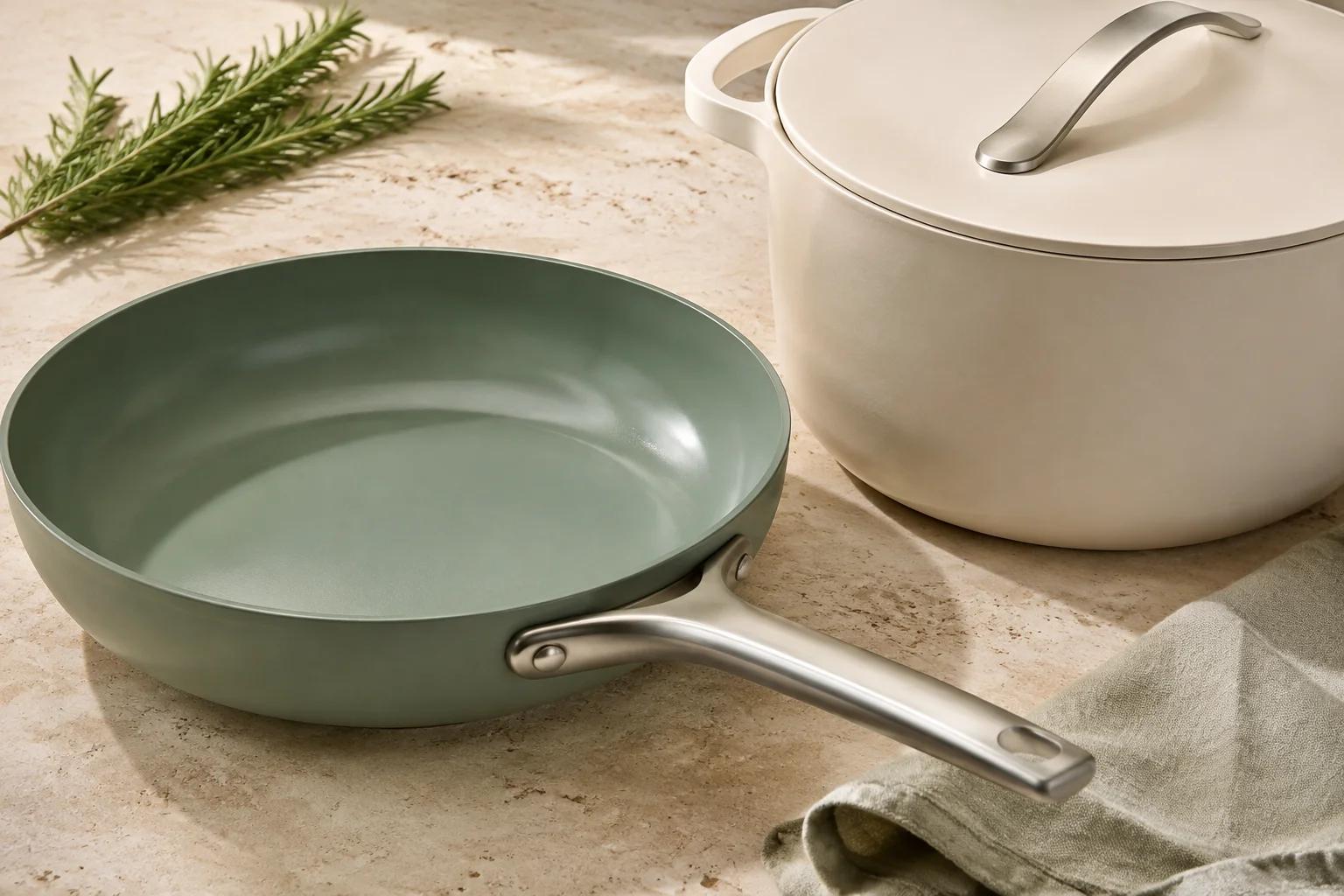 Everyday Duo$215 · Pan + Dutch ovenSunday · sundaycookware.com
Unsubscribe · View in browser
Draft your first emails and their pages
Tell Replo what you sell. With Klaviyo connected, it drafts your first emails for you to send, and builds the page each one opens.
More email guides
Ecommerce email marketing
The six flows a store runs, and which app to send them from.
Back in stock emails
Real restock emails, for when a sold-out product returns.
Klaviyo alternatives
Seven email apps priced at 5,000 and 25,000 contacts.
Mailchimp alternatives
Six email apps priced at 2,500 and 10,000 contacts.
Frequently asked questions
- What is the best email marketing for a small business?
- The one that fits your list and store. On Shopify, Shopify Messaging is $15 a month at 2,500 contacts. MailerLite ($33) suits a newsletter-first business. Klaviyo ($60) segments deepest by orders. Omnisend ($44) adds texts on its Pro plan.
- How much does email marketing cost for a small business?
- $0 to $20 a month at 500 contacts, and $15 to $60 at 2,500, on each app's cheapest plan with automated emails, billed monthly. All five apps here have a free tier, so you can start before you pay.
- How often should a small business send marketing emails?
- Once a week is a good start for campaigns, plus the automated emails, which send themselves when a shopper acts. Tell new subscribers how often you'll write in your welcome email, as HighKey does, and keep that promise. Send less, not more, if unsubscribes climb.
- What emails should a small business send first?
- Five automated ones: a welcome email, an abandoned cart email, a browse abandonment email, a post-purchase email and a win-back email. They send themselves when a shopper acts, so they keep selling while you work on the business. Then add one campaign a week.
- Does Replo send email?
- No. Your email app sends it. With Klaviyo connected, Replo writes your emails and saves them in Klaviyo as drafts you review and send. It also builds the page each email links to, on your brand, and adds your Klaviyo signup form to the pages it builds.