Make a PayPal payment link that sells
Make a PayPal payment link from a business account, see what each sale costs, and know when a link stops being enough.
- Fee
- 2.99%–3.49% plus a fixed fee
- Subscriptions
- Not on Payment Links
- Buyers pay with
- PayPal, Venmo, card or Apple Pay
What a PayPal payment link is
A PayPal payment link is a web address that opens a PayPal checkout for a product or service you set up, with its price, shipping and tax. Buyers pay with PayPal, Venmo, Pay Later, a card or Apple Pay.
You make it from a PayPal business account, and PayPal gives you a QR code with it. One link can be paid by many buyers, and you can change the price later without sending a new link.
How to make a PayPal payment link
- Log in to a PayPal business account and open Payment Links.
- Add the product or service, its price, and any shipping and tax.
- Click build it to get the link and a QR code.
- Share the link, or put it behind the buy button on a sales page.
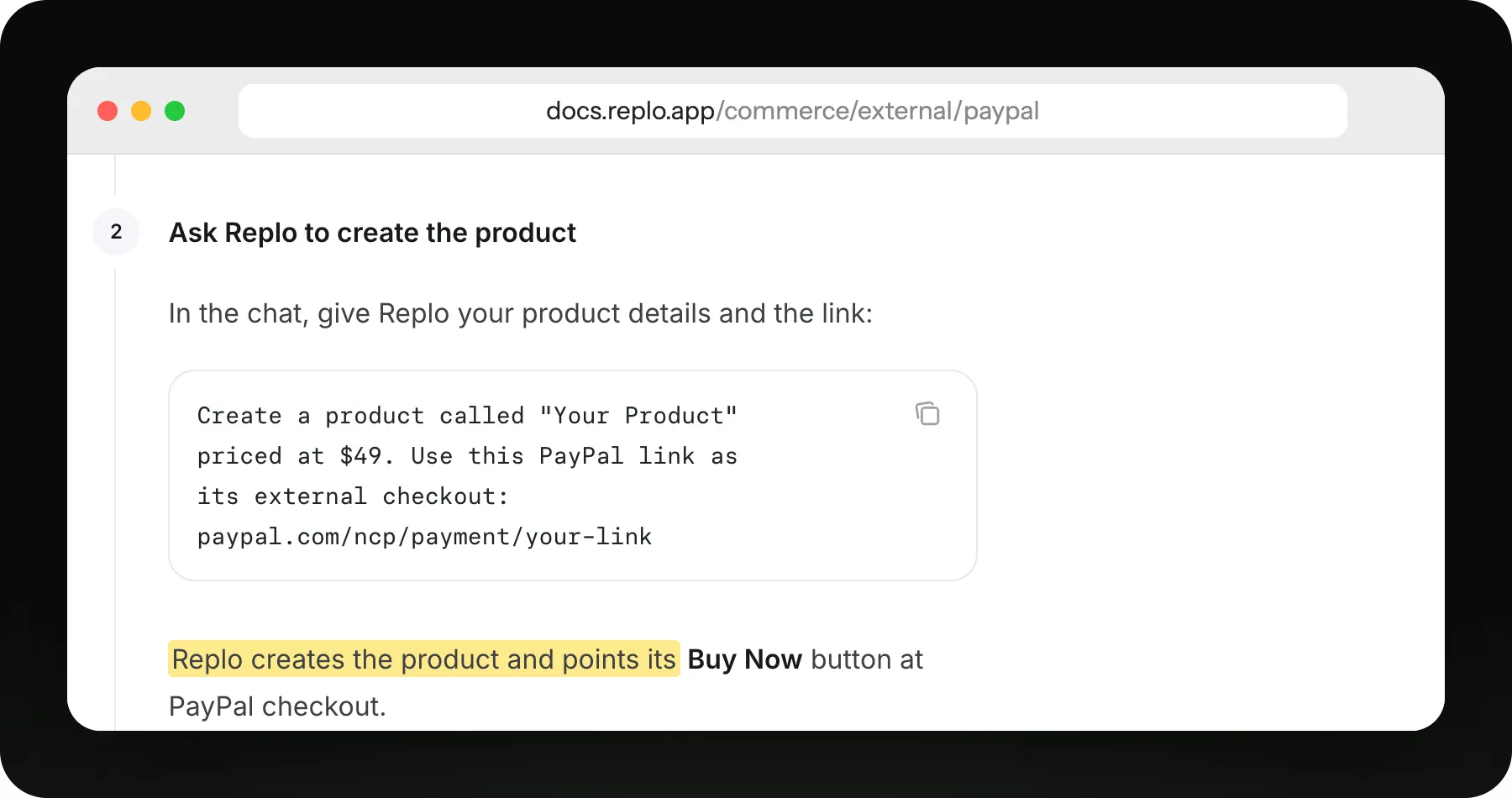
Paste the PayPal link into Replo's chat, and every Buy Now button on the page opens it.
What a PayPal payment link costs
No setup or monthly fee. PayPal takes a percentage plus a fixed fee; this uses 49¢, from its merchant fees page.
| Paid with | PayPal's fee | Fee on $80 | You keep |
|---|---|---|---|
| Card or Apple Pay | 2.99% + 49¢ | $2.88 | $77.12 |
| PayPal or Venmo | 3.49% + 49¢ | $3.28 | $76.72 |
| Card from abroad | 4.49% + 49¢ | $4.08 | $75.92 |
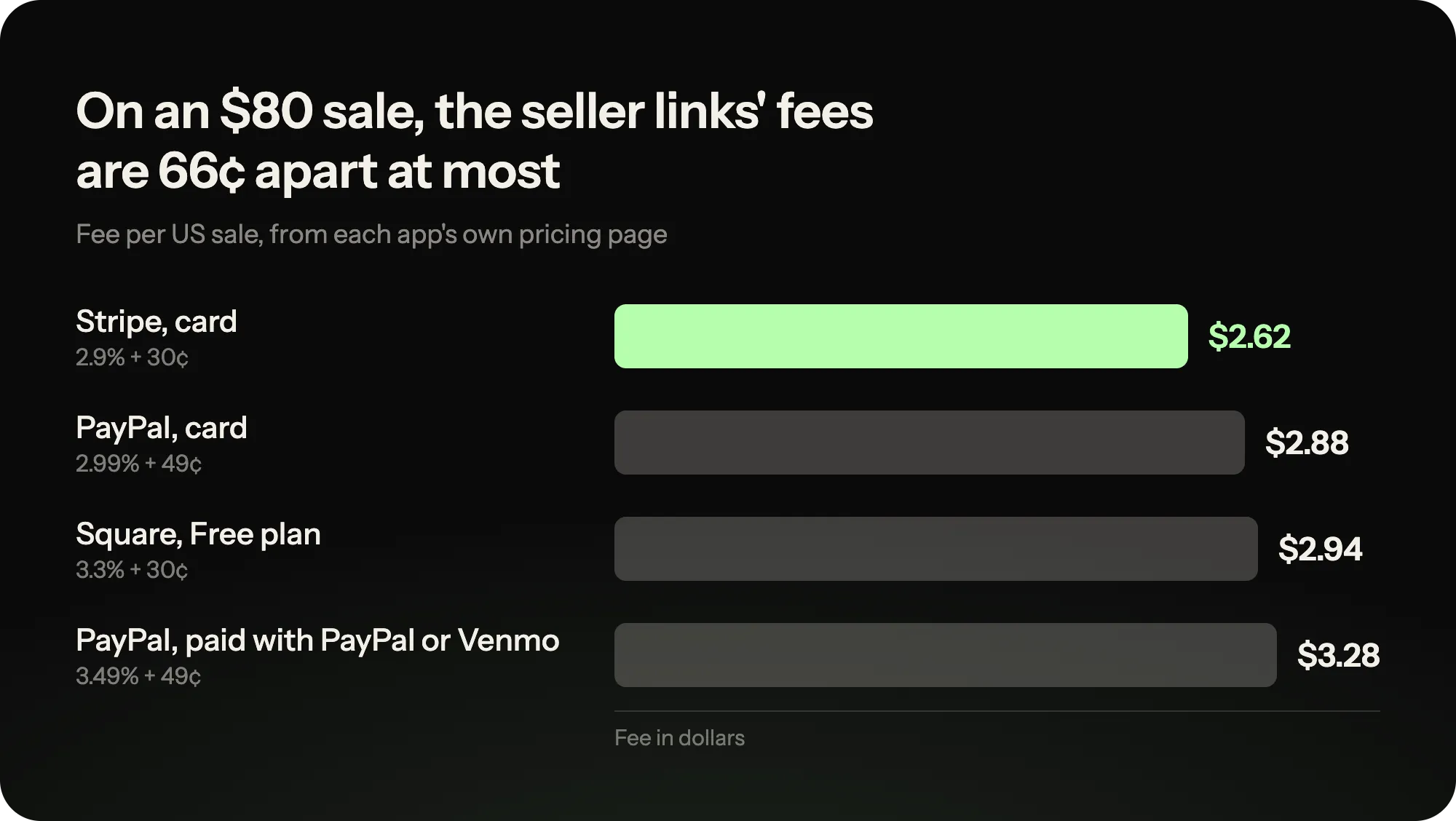
The seller links are 66¢ apart on an $80 sale, so pick the app your buyers already use.
What PayPal can't do for a sale
- Needs a PayPal business account
- No subscriptions on the link
- Venmo shows only to US buyers
- The checkout page is PayPal's
- No page to explain the offer
When a link alone isn't enough
Visitors want to know what they get before paying. Replo builds that page and points its buttons at your link.
| You need | A payment link alone | A Replo page + your link |
|---|---|---|
| Explain the offer before the price | No | Yes |
| Reviews, photos and answers | No | Yes |
| Your own domain | Provider's address | Yes |
| Several products on one page | One link each | Yes, a button each |
| See which ad brought the sale | UTM tags only | Visits, clicks and heatmaps |
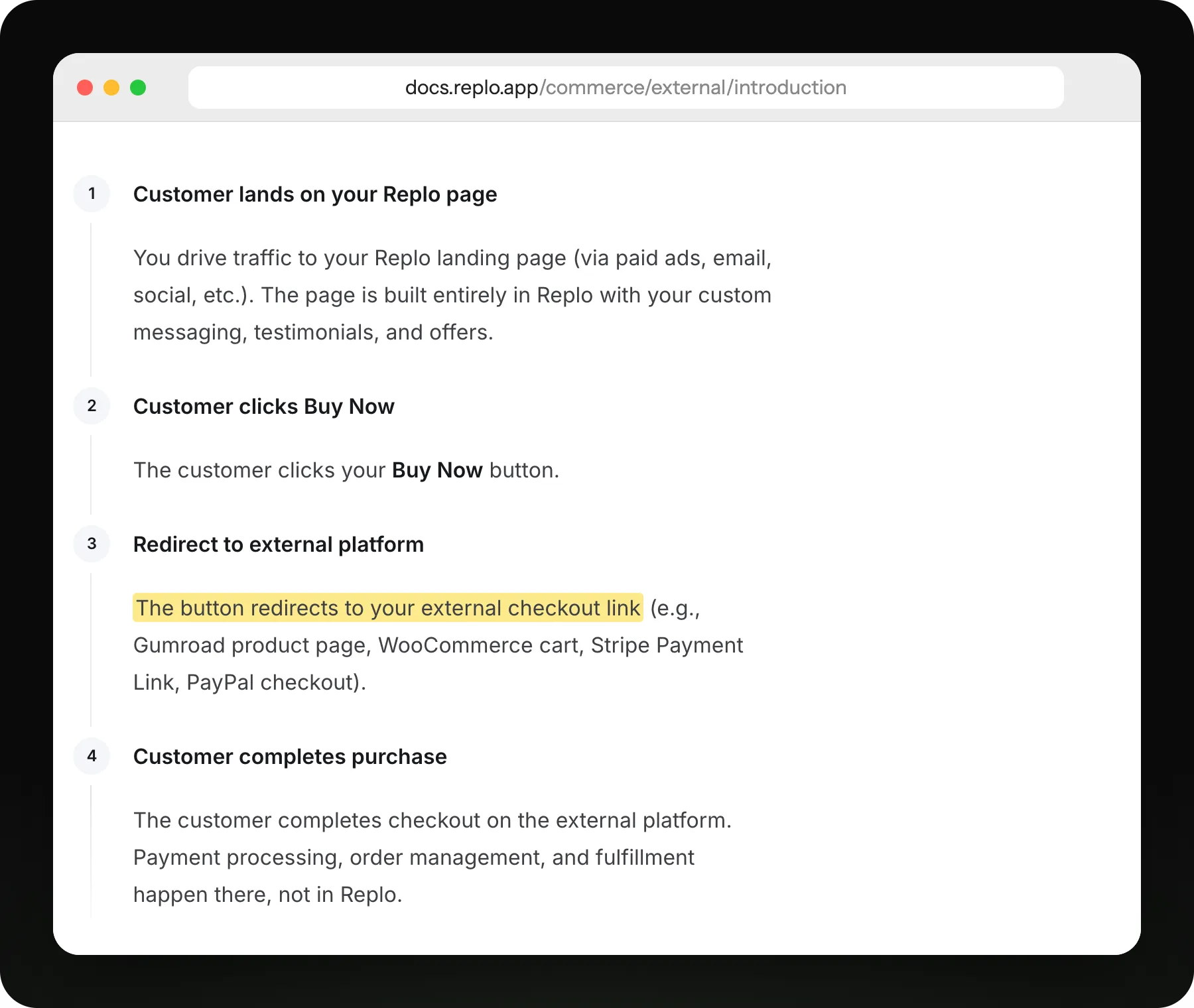
The Replo page makes the case; its Buy Now button sends the buyer to your payment link to pay.
Frequently asked questions
- How much does a PayPal payment link cost?
- Nothing to create and no monthly fee. On each US sale PayPal takes 2.99% for cards and Apple Pay, or 3.49% for PayPal and Venmo, plus a fixed fee: 49¢ on its merchant fees page, 10¢ on its Payment Links page. Buyers abroad add 1.5%. Compare orders in the payment processing fee calculator.
- Is a PayPal payment link the same as PayPal.Me?
- No. PayPal.Me is a personal link where the payer types an amount. A Payment Link comes from a business account and sells a set product or service at a set price, with shipping and tax, which is what you want behind a buy button.
- Do buyers need a PayPal account?
- No. Buyers can pay by debit or credit card or Apple Pay without a PayPal account. Those with one can pay with PayPal, Pay Later or, in the US, Venmo.
- Can a PayPal payment link take a subscription?
- Not that PayPal lists. Its Payment Links page covers one-off products and services, plus amounts the buyer sets for deposits. For recurring billing, a Stripe payment link with a recurring price does it.
- Can Replo make the PayPal payment link for me?
- No. You make the link in PayPal and paste it into Replo. Replo builds the sales page around it and points every buy button at your link, so payments and orders stay in your PayPal account.
- Where do these steps and fees come from?
- From each company's own pages: PayPal: Payment Links, PayPal: Merchant fees. Fees change, so check them before you set a price.
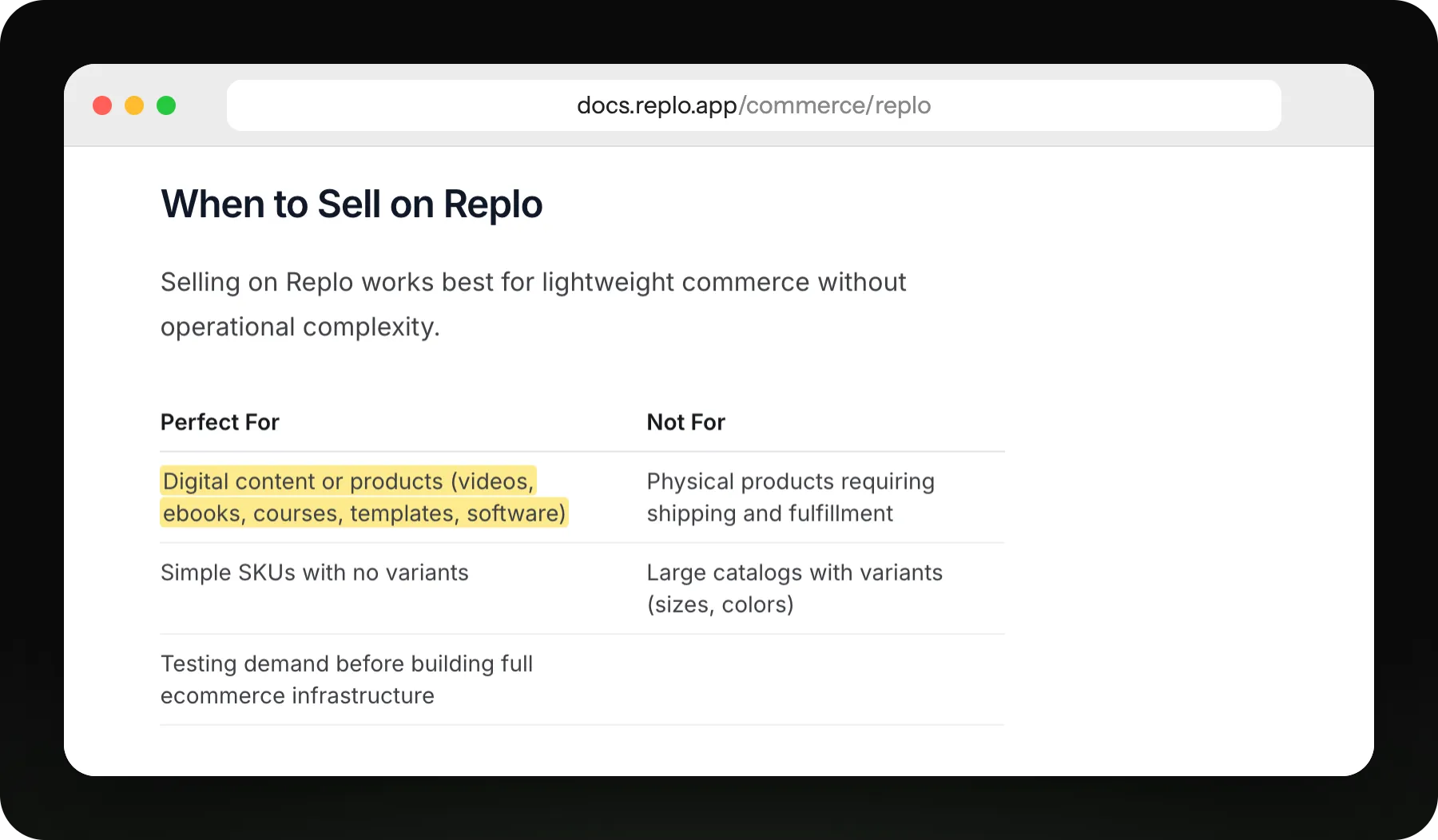
Replo checkout suits digital products and simple items. For subscriptions or shipping, keep the payment link.
Build the page around your link
Fill in the brackets and send it. Replo builds the sales page and points every button at your PayPal link.
Your first message
Create a product called [product name] at [price]. Use this PayPal link as its checkout: [your link]. Then build a sales page for it: who it's for, what they get, three reviews, and a buy button in every section.
See what works, then improve it
Every site you publish comes with analytics, heatmaps, A/B testing and reports.
Live
Analytics on every page
See visits, traffic sources and sales for every page you publish.
Live
Reports on a schedule
Get your site's traffic and sales emailed to your team daily or weekly.
Keep reading
Selling guides
Sell clothes online
Where to resell your closet, and how to launch your own clothing label.
Selling guides
Sell art online
Where to sell originals and prints, and how to ship them safely.
Free tools
Profit Margin Calculator
Gross and net margin from your price and costs.
Free tools
Markup Calculator
Markup, margin and selling price from your cost.
Compare
Best platforms to sell digital products
Seven platforms ranked by what you keep from fifty $20 sales a month.
Compare
Linktree alternatives for selling
Bio link tools compared on where your buyer pays and what each charges.